

Add Subtitles for Social Video: What Actually Works
Updated: 3 days ago
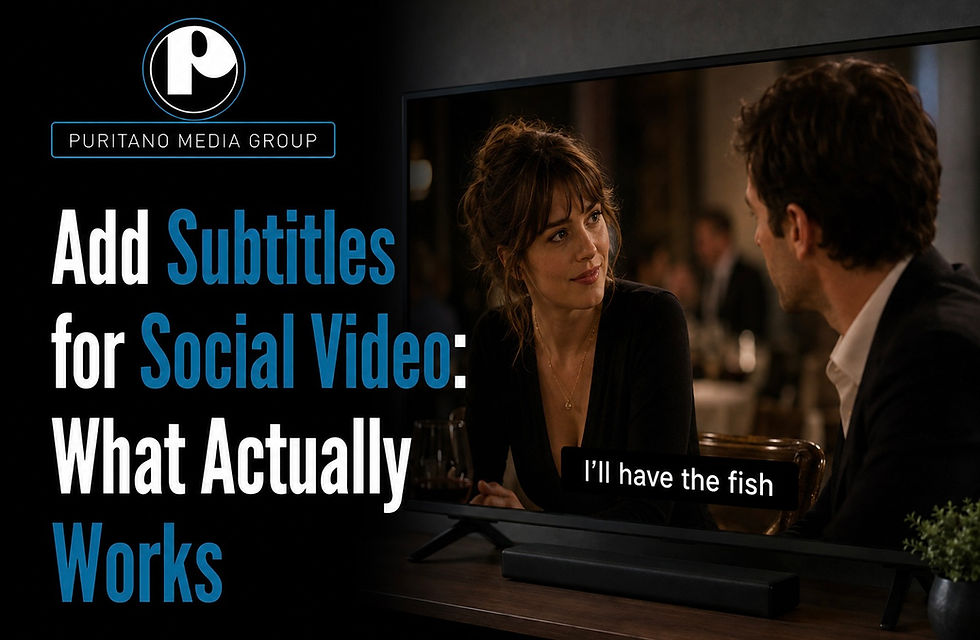
Add readable subtitles to every social video you post. Full stop. For short-form clips you’re cross-posting to Reels, TikTok, and Shorts, burn the captions directly into the pixels. For YouTube and any platform that accepts sidecar files, keep an editable SRT or VTT alongside the video.
More people watch on mute than you’d think, and burned-in text keeps your message intact no matter where a clip gets reposted.
Accessible captions aren’t a nice extra for deaf and hard-of-hearing viewers. They’re baseline functionality.
If you’re producing at campaign scale and don’t want to manage this frame by frame, Puritano handles captioning as part of full social video production.
TL;DR:
Burn-in captions are essential for short-form videos reposted on Reels, TikTok, and Shorts because sidecar files often do not carry over.
Using SRT or VTT files for YouTube allows caption indexing and enables viewers to toggle captions, unlike burned-in text.
Auto-transcription tools require manual review to correct misheard names, numbers, and to add sound descriptions for accurate, accessible captions.
Captions must be styled for small screens with a maximum of two lines, high contrast, tight timing, and safe positioning to ensure readability.
Outsourcing captioning to a professional service like Puritano ensures consistent styling, accurate timing, and suits recurring social media campaigns.
Why Subtitles for Social Video Actually Move the Needle
Subtitled videos consistently show higher watch time and completion rates than uncaptioned ones, and industry guidance on AI-generated subtitles for social video points to burned-in captions as the more reliable choice for cross-platform reposting. The reason is simple: platforms reward whatever keeps a viewer watching longer, and captions remove the single biggest reason people scroll past a video in the first two seconds. That’s a big deal when a large share of social video gets watched with the sound off.
Sound-off viewing is the default, not the exception. Industry sources report that upwards of 80% of short-form video consumption on platforms like TikTok happens without audio, often because people are watching on a bus, in a meeting, or next to a sleeping kid.
There’s also a compliance angle creators tend to overlook. Institutions with public-facing accessibility obligations increasingly treat captions as required, not optional, and that expectation is spreading to brand and nonprofit content published on social channels.
Higher completion rates signal to the platform’s algorithm that your content deserves more distribution.
Muted viewers convert to watchers the instant text appears on screen.
Deaf and hard-of-hearing audiences get equal access instead of a degraded experience.
Which Platforms Support Captions, and in What Format?
Not every platform treats captions the same way, and guessing wrong means your text either disappears or never renders correctly. Platform-specific caption support guidance lays out where auto-captions exist, where sidecar files work, and where burned-in is your only reliable option.
Short-form cross-posting (Reels, TikTok, Shorts): Burn captions in before export. These platforms get reposted and screen-recorded constantly, and a sidecar file won’t travel with the clip once it leaves the original platform.
YouTube and long-form uploads: Upload an SRT or VTT sidecar. YouTube indexes the text for search and lets viewers toggle captions on and off, something burned-in text can’t do.
LinkedIn and Facebook native video: Both accept caption files, but a meaningful chunk of viewers still browse with captions off by default, so burned-in remains the safer bet for guaranteed visibility.
SRT files are simpler and widely supported; VTT adds styling and positioning data, which matters more for web embeds than social feeds. Whichever format you use, name your files clearly (matching-video-name.srt, not “final_v3_ACTUAL.srt”) and keep encoding as UTF-8 so accented characters and special punctuation don’t turn into garbled symbols on upload.
How Do You Turn a Raw Clip Into a Captioned Video?
Here’s the workflow we’d recommend running on every video before it goes out the door:
Get a transcript. Auto-transcription tools move fast and handle plain conversational speech well, but they stumble on names, brand terms, and numbers. Vendor tools like VEED now flag low-confidence words so you can jump straight to the ones that need a human check instead of rereading the whole transcript.
Edit for accuracy. Fix misheard names and figures, then add bracketed sound descriptions like [music] or [applause] so the caption track works for viewers who can’t hear the audio at all.
Style the text. Cap lines at two, keep sentences short, and pick a font weight and contrast level that reads instantly at thumbnail size on a phone.
Time it tightly. Captions should appear as words are spoken and clear promptly after, with no noticeable lag or lingering text nobody’s reading anymore.
Export twice. Burn one version in for short-form platforms; export a clean sidecar file for YouTube or anywhere that supports toggling captions.
Quality-check on an actual phone. Preview the burned-in version at real mobile size, confirm nothing sits under a platform’s UI elements, and check that the caption text is genuinely part of the video pixels, not a separate overlay that could vanish on repost.
Pro Tip: Watch your exported clip once with the sound completely off. If you can still follow the story and don’t miss anything, your captions are doing their job.
What Makes Subtitles Actually Readable on a Small Screen?
Readability rules aren’t about aesthetics. They’re about whether someone scrolling at arm’s length can absorb your message in the two seconds before they decide to keep watching or swipe away.
Cap every caption block at two lines. Anything longer forces a slow read that outpaces the speech.
Use high-contrast text, white with a dark outline or a semi-transparent background bar, or brand colors as long as the contrast ratio stays strong against varied backgrounds.
Time captions to arrive with the spoken word and clear soon after; a half-second of lag is enough to feel disjointed.
Keep text out of the bottom third and top corners, where usernames, like buttons, and platform overlays tend to sit. Best practice guides on subtitle styling consistently point to this zone as the most common place captions get clipped.
Animated or branded caption styles can work, but only if the motion doesn’t outpace reading speed. If a word bounces in and out before someone finishes reading it, the effect is costing you more than it’s adding.
Pro Tip: Export a test frame at the smallest size your video will actually display, a phone thumbnail in a crowded feed, and check whether the text is still legible before you commit to a font size.
How Do Production Studios Handle Captions at Scale?
Studios generally choose between two approaches: script-first, where captions are built from an approved script and then time-matched to the final audio, or ASR-first, where auto-transcription generates a draft that gets edited down. Script-first wins for brand-sensitive content because it eliminates the risk of a transcription engine mangling a product name or executive title on camera.
At Puritano, caption styling gets built into the same brand guidelines that govern color, type, and motion elsewhere in a video, so captions look like they belong to the brand instead of looking bolted on. A dedicated timing pass lines up word-by-word timestamps against the final audio mix, which keeps captions from drifting out of sync as edits shift scene lengths late in post. Safe margins get reserved for platform UI at every export resolution, since a caption that reads perfectly at 1080p can clip under a username at a smaller export size.
A caption block that’s technically accurate but poorly timed or styled still fails the viewer. Getting the words right is only half the job; getting them to appear at the right moment, in a readable style, at the right screen position, is what makes captions actually work across every platform a video ends up on.
Editable master files get preserved so captions can be updated later without re-timing from scratch.
QC includes a mobile-size preview pass before final delivery, not just a desktop check.
What the Conventional Caption Advice Gets Wrong
Most advice on captioning social video treats it as a checkbox: turn on auto-captions, ship it, move on. That’s backwards. Auto-captions are a solid first draft, but treating them as a finished product is how brand names get misspelled on screen in front of thousands of viewers. The gap between auto-generated and reviewed captions is exactly where proper nouns and numbers fall apart, and that’s precisely the content most likely to matter to a business or organization posting under its own name.
The other overrated piece of advice is treating caption styling as an afterthought you bolt on after editing. Readability constraints, line limits, contrast, safe margins for platform UI, should shape how you frame shots and pace speech during the edit itself, not get squeezed in during export. If you’re building a caption track after your final cut is already locked, you’re solving a design problem too late to solve it well.
What should you prioritize first? Timing accuracy over visual flourish. A caption that’s perfectly synced but plain will always outperform one that’s beautifully animated but a half-second behind the speaker. Get the timing right, then decide how much personality your style needs.
— Charlie
Let Puritano Handle Captioning Across Your Whole Social Campaign
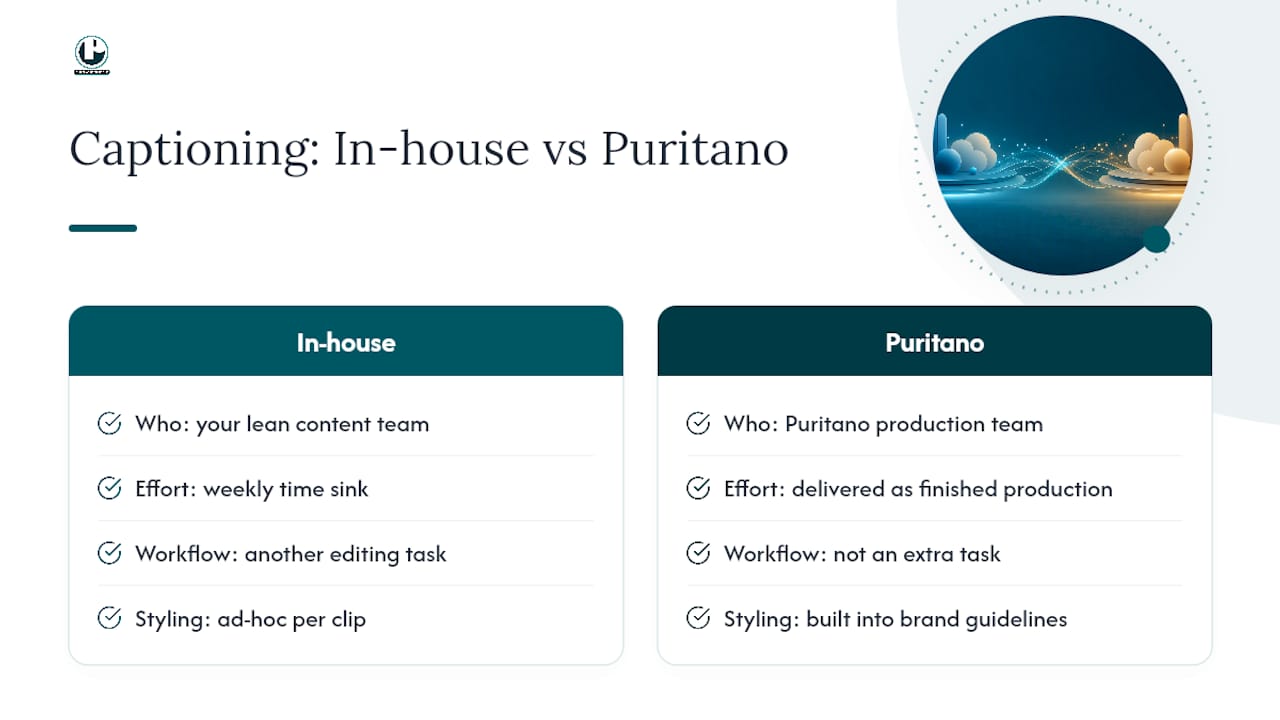
Doing this well, on every clip, every week, is a real time sink for a lean content team. Puritano is the option for organizations that would rather have professionally captioned social video delivered as part of a finished production, not one more editing task stacked on someone’s plate. As a full-service video production company with more than two decades of experience, Puritano builds caption styling into brand guidelines from the first script draft, runs the timing pass in house, and delivers both burned-in and sidecar exports ready for every platform you post to.
That fits naturally for marketing teams, nonprofits, and event organizers who need consistent, on-brand captions across a full content calendar rather than a single clip. Puritano’s music video production work shows the caption styling and timing discipline that carries over into social campaigns, and organizations running recurring events can see the same captioning workflow applied in Puritano’s virtual event case studies. If your team is producing social video on a recurring basis, reach out to Puritano to scope a captioning-inclusive production package for your next campaign.
Key Takeaways
Readable subtitles, burned in for short-form reposting and kept as editable SRT/VTT files for platforms that support them, are the single highest-leverage fix for social video performance and accessibility.
Point | Details |
Burn in for short-form | Reels, TikTok, and Shorts need burned-in text because sidecar files don’t survive reposts. |
Keep sidecars for YouTube | SRT/VTT files let YouTube index your captions and let viewers toggle them on or off. |
Review every auto-transcript | Auto-captions miss names and numbers, so a manual editing pass is non-negotiable before export. |
Style for small screens | Two-line max, high contrast, tight timing, and safe margins away from platform UI. |
Consider a production partner | Puritano builds caption styling and timing into full social video production for teams running recurring campaigns. |
Sources
Recommended
Making a video understood by everyone watching is a production decision, not a finishing touch. For Montgomery County Public Schools, we produced a thirteen video safety series and carried the full series into Spanish, Korean, Vietnamese, Chinese, French, and Amharic, with custom graphics and narration in each language. A district that serves many communities cannot treat language access as optional, and neither can a social feed full of muted phones. The audience's reality should shape the deliverables list before the first shoot day.


Comments