

Community Impact Video Storytelling Guide for Nonprofits
- Charlie Puritano
- 2 hours ago
- 19 min read
Start with a single, experience-centered story co-created with a community member, a clear donor-facing call-to-action, and a distribution plan built around your owned channels. That combination, more than any production budget or camera gear, determines whether your video moves people to give. Organizations like IDEO, PIR, and Puritano Media Group have each arrived at the same conclusion from different angles: the story’s origin matters as much as its execution.
Your 24–72 hour checklist:
Define one audience promise (what will your donor feel and do after watching?)
Confirm your consent and release approach before any filming begins
Choose your primary format and target length (60–90 seconds for social, 2–3 minutes for email or website)
Draft a 15–30 second hook that opens on a specific person, moment, or question
Set one primary KPI (watch-time completion rate or donation page click-through)
Get those five things locked in writing before you touch a camera. The result you’re aiming for: a shareable short film or supporter-facing clip ready to deploy via email and social within your production window.
Why community impact videos move donors and supporters
The most direct answer: video storytelling for communities works because it converts abstract cause-and-effect into felt experience. Donors don’t give to statistics. They give because they saw a face, heard a voice, and believed their contribution would change something specific.
“The real measure of a powerful story isn’t just whether someone likes it. It’s whether it gets picked up, passed along, and repurposed — whether someone shares it in a meeting, spins off an initiative inspired by it, or uses it to rally their own team.” — IDEO U
Community-led, experience-centered storytelling increases emotional resonance and makes donor asks feel concrete rather than institutional. That shift from “support our mission” to “here’s what Maria’s life looks like now” is the difference between a video people scroll past and one they forward to five colleagues.
Three primary ways video influences donor behavior:
Empathy drives action. Watching a real person describe a real challenge activates the same neural pathways as personal experience, making the viewer feel invested in the outcome.
Social proof builds trust. Seeing community members speak on their own terms signals authenticity, which reduces donor skepticism more effectively than polished organizational messaging.
Clarity of impact drives conversion. A video that shows a specific, measurable outcome (“this program helped families in Ward 8 access stable housing”) gives donors a mental picture of what their gift accomplishes.
Track engagement-to-conversion as your primary donor outcome metric: how many viewers who watched at least 50% of the video clicked through to your donation page? That single ratio tells you more about video effectiveness than raw view counts.
Core storytelling principles every community impact video needs
The four principles that separate forgettable nonprofit videos from ones that generate real donor response are: experience-centered design, community authorship, hero framing that positions the donor as enabler, and explicit stakes.

IDEO advocates shifting from message-driven to experience-centered storytelling, designing for how you want the audience to feel and what you want them to do next, rather than what your organization wants to say. That reframe changes everything from your interview questions to your edit decisions.
Do / don’t for each principle:
Experience-centered: Do open with a sensory moment (a sound, a place, a person mid-action). Don’t open with your organization’s founding year or mission statement.
Community authorship: Do let community members shape the narrative arc and choose what they share. Don’t script their answers or reframe their words in post-production without consent.
Hero framing: Do position the donor as the person whose support makes the change possible. Don’t make your organization the hero of its own story.
Explicit stakes: Do name what happens if nothing changes. Don’t leave the consequence implied or abstract.
A simple three-beat arc maps directly onto a donor ask:
Hook (0–30 seconds): Introduce a specific person at a specific moment of tension or change.
Heart (30 seconds–2 minutes): Deepen the stakes. Show what’s at risk and what’s already shifting because of support.
Close (final 15–20 seconds): Make the ask explicit. Tell the viewer exactly what their gift does and how to give it now.
Psyche’s storytelling guide reinforces this: to make supporters feel like the hero, present clear stakes and show precisely how their action leads to the outcome they care about. The donor isn’t a bystander funding your work. They’re the actor whose decision determines the ending.
Pre-production essentials: goals, consent, scripts, and shot lists
The single prep step that matters most is defining your audience promise and donor-focused call-to-action before you write a word of script or schedule a single interview. Everything else, including shot lists, interview questions, and timelines, flows from that anchor.
Pre-production checklist
Write a SMART goal: specific, measurable, time-bound (e.g., “Generate 150 donation page visits from video within 30 days of launch”).
Name your primary audience (existing mid-level donors, lapsed donors, new social followers).
Draft a one-sentence audience promise: “After watching this video, [audience] will feel [emotion] and take [specific action].”
Build a message hierarchy: lead message, two supporting points, one CTA.
Write your 15–30 second hook before scripting anything else.
Draft your donor CTA with a specific ask amount or action verb.
Confirm your consent and release plan (see Section 5 for FPIC guidance).
List accessibility requirements: closed captions, transcript, audio description if needed.
Map your distribution plan: which platforms, which formats, which send dates.
Sample audience promise: “After watching this video, a first-time donor will feel hopeful about what’s possible in their own city and click through to make a $50 gift.”
Sample shot list (8 essentials):
Shot | Story purpose |
Opening wide establishing shot | Place the viewer in the community setting |
Close-up of subject’s hands or face | Create intimacy before the interview begins |
Interview medium shot (eye-level) | Primary narrative delivery |
B-roll of subject in natural activity | Show life, not just words |
Detail shot tied to the story | Anchor an emotional beat visually |
Community environment wide shot | Provide context and scale |
Moment of change or outcome | Show the “after” that the donor’s gift enables |
Closing graphic or CTA card | Deliver the ask cleanly |
Sample production timeline and roles
Week | Activity | Lead |
1–2 | Goal-setting, audience promise, consent planning | Program + Comms |
2–3 | Community engagement, story identification, release forms | Community liaison |
3–4 | Script/outline, shot list, interview prep | Producer/Director |
4–5 | Production days (interviews + b-roll) | Production team |
5–7 | Rough cut, community review, revisions | Editor + Community |
7–8 | Final cut, captions, metadata, distribution prep | Editor + Comms |
Working with community: co-creation, consent, and ethical practice
Community authorship and consent are production prerequisites, not optional extras you add after the story is already shaped. If your community members are subjects rather than co-creators, your video will feel extractive, and experienced donors will notice.
Co-creation setup checklist:
Hold a community orientation session before any cameras appear.
Offer media training so participants understand how footage will be used and where it will appear.
Establish shared decision points: community members should have editorial input at the outline stage, rough cut stage, and before final distribution.
Create a written editorial agreement covering credit, ownership, and any revenue or licensing arrangements.
Compensate community participants for their time. Unpaid labor is an ethical red flag, not a budget workaround.
PIR’s community-led filmmaking approach documents workflows where local participants lead camera, editing, and narrative choices rather than simply appearing on screen. The result is footage that external filmmakers often cannot achieve, because the trust and access are already there.
Ethical red flags to watch for:
Single-story risk: Presenting one person’s experience as representative of an entire community.
Re-traumatization: Asking participants to relive painful experiences without adequate support structures.
Tokenization: Including community members visually without giving them narrative agency.
Lack of FPIC: Filming without Free, Prior, and Informed Consent, particularly with Indigenous or marginalized communities.
Scope creep on disclosure: Encouraging participants to share more than they originally agreed to.
The Omega Institute notes that the “TMI” parts of a story, the details people are most inclined to keep hidden, often produce the deepest audience connection. That’s true. It’s also exactly why consent must be explicit and revisable. A participant who shares something vulnerable on camera should be able to review that footage and change their mind before it publishes.
Pro Tip: Build at least two community review checkpoints into your timeline: one at the rough cut stage and one before final export. Give participants 5–7 business days to respond at each checkpoint. Rushing this step is the single most common way community trust breaks down mid-production.
Production basics that make community stories feel authentic
Clear audio and honest b-roll outperform cinematic polish for community impact work. A story told in a person’s own kitchen, with ambient sound and natural light, will outperform a staged interview in a rented studio almost every time.
Interview technique
Ask questions that invite narrative, not summary:
“Walk me through the day everything changed.”
“What did that moment feel like from where you were standing?”
“What do you want people outside this community to understand that they usually get wrong?”
“What would have happened if this program hadn’t existed?”
“What does a good day look like now, compared to before?”
“Who else in your community has a story people should hear?”
“What would you say directly to someone who’s thinking about supporting this work?”
“Is there anything you’ve never said on camera that you’d like to say now?”
Let silence sit after an answer. The most honest moments often come in the pause after the “official” answer ends.
Essential b-roll (8 shots mapped to story beats)
Arrival/entry shot: Subject arriving at a meaningful location (grounds the story in place)
Hands at work: Subject doing something purposeful (signals agency, not victimhood)
Community interaction: Two or more people in natural conversation (shows relationship)
Detail close-up: An object, sign, or texture that carries symbolic weight
Environment wide: The neighborhood, building, or landscape that frames the story
Reaction shot: A face responding to something off-camera (creates emotional texture)
Before/after visual: A space, document, or artifact that shows change over time
Natural sound moment: A scene captured primarily for its ambient audio (rain, laughter, tools)
Gear guidance
For organizations working with limited budgets, a Sony ZV-E10 or a recent iPhone Pro paired with a Rode VideoMicro and a basic LED panel (Neewer or Lume Cube) covers most interview and b-roll needs. A Rode Wireless GO II lavalier system solves audio for run-and-gun documentary work. Upgrade to a dedicated cinema camera and a professional lighting package when the video will anchor a major fundraising campaign or appear in broadcast contexts.
Always establish scene boundaries before filming: confirm with participants which spaces are on-camera and which are private, and brief your crew before they arrive on site.
Editing to an arc: hooks, pacing, and the donor call-to-action
Edit to the audience’s experience, not to the chronology of your shoot day. The question driving every cut should be: does this moment deepen the viewer’s emotional investment, or does it slow the story down?
Narrative arc in four beats:
Hook (0–30 seconds): Drop the viewer into a specific moment of tension or change. No logos, no mission statements, no organizational context. Start with a person.
Context and stakes (30 seconds–90 seconds): Establish what’s at risk and why it matters. Introduce the community setting and the challenge being addressed.
Turning point (90 seconds–2:30): Show the moment of change. This is where the program, the support, or the community’s own agency becomes visible.
Resolution and ask (final 20–30 seconds): Land on a concrete outcome and deliver the CTA. Don’t fade to black on an emotional high and then cut to a donation URL with no connective tissue.
For short-form (under 90 seconds), compress the context beat and let the turning point carry more weight. For longer formats (3–5 minutes), the context beat can include a second community voice to add social proof.
Three CTA wordings for different asks:
One-time gift: “Maria’s story is one of 340 this year. A gift of $50 today keeps this program running through December.”
Recurring donation: “For $25 a month, you make sure no family in this neighborhood faces this alone.”
Volunteer or action sign-up: “If you want to be part of what you just watched, we have a place for you. Sign up at [URL].”
Captioning and accessibility checklist:
Add closed captions to every video before publishing, on every platform.
Upload a full transcript to your website alongside the embedded video.
Write descriptive alt text for social thumbnails (not just “video thumbnail”).
Check title card and lower-third text against WCAG 2.1 contrast ratios (4.5:1 minimum for normal text).
For music, use royalty-free libraries like Musicbed, Artlist, or Epidemic Sound, and document your license for every track. Never use a commercial song without a sync license, even for internal previews that might later go public.
Classic storytelling structures like the monomyth and in medias res translate directly into video pacing decisions. Starting in medias res, dropping the viewer into the middle of the action, is particularly effective for short-form content where you have under three seconds to earn continued attention.
Distribution strategies that get your video seen by donors
Tailor format and length to platform and funnel stage. Prioritize owned channels (email list, website) for conversion, and use social platforms for discovery and reach. One targeted paid boost on Facebook or Instagram, even a modest one, can extend a strong hero film to a new donor segment that your organic reach won’t touch.
Platform format cheat-sheet:
Email: Embed a thumbnail with a play button linking to your hosted video. Keep the hero film at 2–3 minutes. Subject line A/B test: name-forward (“Maria’s story”) vs. outcome-forward (“47 families. One year. Watch.”).
Website hero video: 60–90 seconds for above-the-fold placement; full 2–3 minute version on a dedicated impact page.
Instagram Reels / Facebook Reels: 30–60 seconds, vertical (9:16), captions burned in, hook in first 3 seconds.
YouTube: Full-length version (2–5 minutes), optimized title, description with transcript, chapters, and a pinned comment with your donation link.
LinkedIn: 60–90 seconds, square or landscape, professional framing, strong first-frame text card for silent autoplay.
Paid social: 15–30 second cutdown with a single, direct CTA and a donation page URL in the ad copy.
Short-form cutdowns from a longer hero film reliably extend reach and drive donor traffic back to the full-length impact content. Think of your hero film as the source material and every platform version as a trailer.
Three-step donor funnel:
Discovery: A 30-second Reel or paid social clip introduces the story and drives viewers to your website or YouTube channel.
Engagement: A 2–3 minute hero film on your website or YouTube deepens the emotional connection and presents the full narrative arc.
Conversion: A donation landing page with the video embedded, a clear ask amount, and a single CTA button. No distractions, no navigation links pulling people away.
For video SEO, metadata optimization materially improves discoverability: write a keyword-rich title (under 60 characters), a description that includes your transcript’s first 150 words, and add chapters for videos over 2 minutes. Use UTM parameters on every link from video to donation page so you can attribute conversions to specific campaigns and platforms.
How to measure impact: KPIs and reporting for stakeholders
Track a small, focused set of donor-oriented KPIs. More metrics don’t mean better insight. The goal is to connect video activity to donor outcomes, not to collect vanity numbers.
Metric | Why it matters | Simple target |
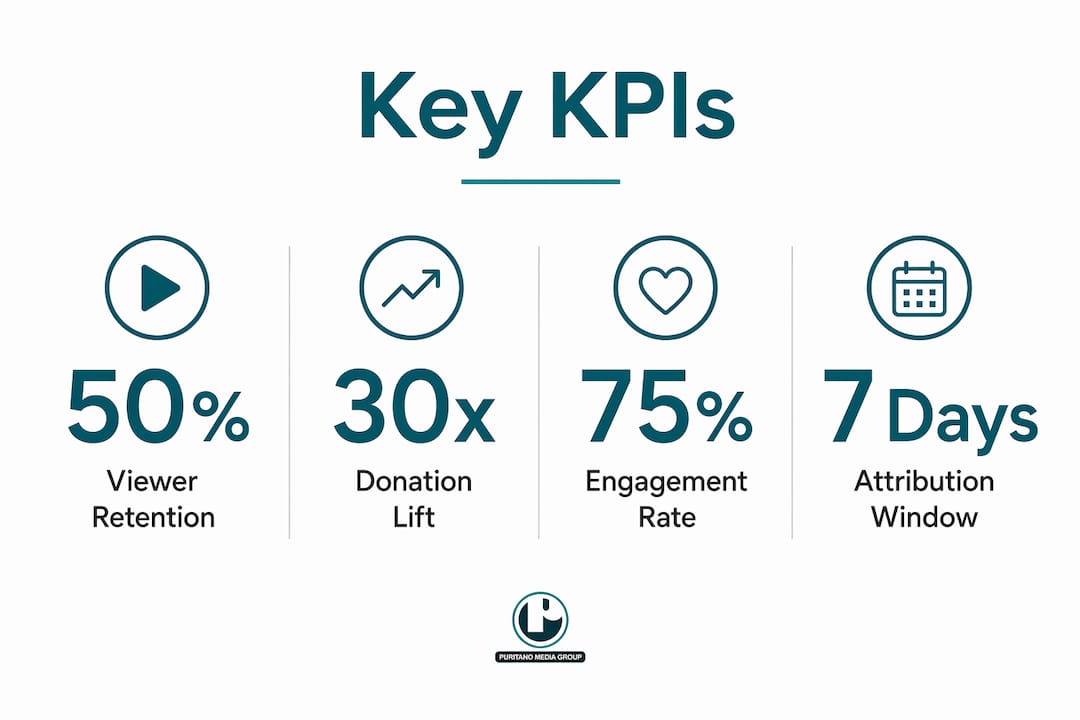
Watch-time completion rate | Shows whether the story holds attention through the CTA | 50%+ completion for videos under 3 minutes |
Click-through to donation page | Directly links video viewing to donor intent | 3–5% of total viewers |
Donation conversion rate | Measures how many clickers actually give | Benchmark against your existing email conversion rate |
Cost per donor acquired (paid campaigns) | Evaluates paid distribution efficiency | Set based on your average gift value |
Recurring gift retention (month 3) | Indicates whether video-acquired donors stay engaged | Track separately from other acquisition channels |
One-page impact report template:
Qualitative highlight: One sentence describing a specific community outcome the video documented.
Quantitative summary: Three numbers: total views, completion rate, and donation page conversions attributed to the video.
Next steps: One sentence on what the data suggests for the next video or campaign.
For attribution, apply UTM parameters to every link from video to donation page, and set a 30-day attribution window as your default. Compare donor cohorts acquired through video campaigns against those acquired through email or direct mail to understand video’s incremental lift. Aligning narrative arc with fundraising asks and measuring results together gives you the clearest picture of what’s actually driving giving.
Typical budgets and a sample production timeline
Budget varies more with community engagement level than with production complexity. A video that trains community members to lead their own filming requires more time and facilitation budget than a standard one-day shoot, but it often produces stronger outcomes and builds lasting organizational capacity.
Three budget bands:
DIY / low-budget: Smartphone camera, basic lavalier mic, free editing software (DaVinci Resolve), volunteer crew. Works for social content and internal campaigns. Limitations: limited b-roll coverage, longer editing time, no professional color grade.
Hybrid / community training: Combines professional facilitation with community-led filming. Budget covers media training workshops, equipment loans or purchases for community participants, a professional editor, and accessibility services (captions, transcript). This is the model PIR documents for community-led filmmaking programs.
Full professional production: Full crew, professional camera package, location sound, color grade, motion graphics, professional edit, distribution strategy, and metadata optimization. Appropriate for major fundraising campaigns, broadcast use, or national-scale advocacy work.
Always allocate a specific line item for community compensation, whether that’s honoraria, stipends, or in-kind support. Budget contingency for permission lead times, re-shoots, and consent process delays.
Sample 8-week production timeline:
Week 1: Goal-setting, audience promise, consent planning, community liaison outreach
Week 2: Story identification, participant orientation, release form distribution
Week 3: Media training (for hybrid/community-led models), shot list and script development
Week 4: Production days (primary interviews and b-roll)
Week 5: Assembly cut, internal review
Week 6: Community review checkpoint, revisions
Week 7: Final cut, captions, transcript, metadata preparation
Week 8: Distribution launch, paid boost setup, KPI tracking begins
For community-led programs, PIR documentation shows that multi-month timelines are common and necessary. Rushing the training and consent phases undermines both authenticity and trust.
When should you hire a production partner?
Hire a professional production partner when you need broadcast-quality output for a major fundraising campaign, when your timeline is under six weeks, or when the subject matter is sensitive enough to require experienced facilitation alongside technical production. Those three situations are where the gap between DIY and professional work shows up most clearly in donor response.
Hire vs. DIY decision checklist:
Hire a pro if your video will anchor a campaign with a six-figure fundraising goal.
Hire a pro if your timeline is under six weeks from brief to launch.
Hire a pro if the story involves trauma, legal sensitivity, or community members who have never been on camera.
Consider hybrid or training models if your organization wants to build internal capacity alongside the current project.
DIY is appropriate for social content, internal updates, and low-stakes awareness campaigns where authenticity matters more than polish.
A good production partner provides script development, community facilitation support, full production crew, professional editing, motion graphics, closed captioning, metadata and SEO setup, and distribution strategy guidance. Vendor selection criteria worth prioritizing: demonstrated experience with nonprofit or social impact clients, a clear community consent process, transparent revision rounds, and references from organizations with similar subject matter.
Puritano Media Group brings over two decades of production experience to nonprofit and social impact work, with a specific focus on stories that align narrative arc with fundraising outcomes. The approach starts with the audience promise and the donor CTA, then works backward into production decisions. For organizations in the Washington D.C. metropolitan area and nationally, Puritano handles the full production arc: from community facilitation and scripting through editing, captioning, and distribution strategy. The work is built around the principle that video amplifies nonprofit missions most effectively when story, ask, and distribution are coordinated from day one.
Handling sensitive topics and crisis communication in community storytelling
Sensitive subject matter requires a different production posture, not just different interview questions. When a story involves trauma, health, immigration status, housing instability, or any topic that carries legal or social risk for participants, your ethical obligations intensify before the camera turns on.
Before production:
Conduct a risk assessment with your community liaison. Identify which story elements could expose participants to harm if the video reaches unintended audiences.
Brief participants on where the video will be distributed and who will see it. “We’ll post it on our website” and “we’ll run it as a paid ad on Facebook” carry very different exposure levels.
Offer participants the option to use a pseudonym, appear in silhouette, or have their voice altered. Document their choice in writing.
During production:
Have a support person (not a crew member) available on set for any interview involving trauma or personal hardship. This person’s only job is the participant’s wellbeing.
Stop filming if a participant shows signs of distress. No story is worth re-traumatizing someone.
Avoid leading questions that push participants toward more disclosure than they originally planned.
Crisis communication protocol:
If a published video generates unexpected backlash, a privacy complaint, or a request from a participant to remove their footage, respond within 24 hours. Acknowledge the concern, take the video down from public platforms while you assess, and communicate directly with the affected participant before making any public statement. A clear takedown and re-consent protocol, written before production begins, is far easier to execute than one drafted in the middle of a crisis.
The SAMHSA digital storytelling guide is a strong reference for organizations working with communities affected by mental health, substance use, or trauma, covering consent, safety planning, and crisis response in detail.
Building a long-term storytelling strategy with your community
A single impact video is a campaign asset. A long-term storytelling strategy is an organizational capability. The difference is whether your community relationships, consent infrastructure, and production workflows exist only for one project or whether they compound over time.
Build a story bank. After each production, archive raw footage, transcripts, and signed releases in a searchable system. Footage that doesn’t fit the current video often becomes the foundation for the next one. Organizations that maintain a story bank can respond to fundraising opportunities, grant applications, and media requests in days rather than weeks.
Invest in community storytellers. The most durable approach is training community members to document their own experiences on an ongoing basis, not just for one campaign. This is the model Health In Harmony and CTN used in Panama, where more than 40 community participants received hands-on training over six months to develop their own narratives and produce films that screened at Climate Week NYC and COP30. The investment in training pays back in authenticity, trust, and a pipeline of stories you couldn’t have scripted from the outside.
Create a storytelling advisory group. Invite two or three community members to serve as ongoing advisors on story selection, framing, and distribution decisions. This isn’t a focus group. It’s a structural check on organizational power that keeps your storytelling accountable to the people it represents.
Revisit and update stories. A story told at the beginning of a program has a follow-up chapter. Returning to participants six or twelve months later to document what changed creates a narrative arc that spans multiple videos and deepens donor investment over time. It also signals to participants that your organization’s interest in their story doesn’t end when the camera turns off.
Legal and copyright considerations for community impact videos
Every community impact video involves at least four categories of legal exposure: talent releases, location releases, music licensing, and footage ownership. Getting these right before production is straightforward. Fixing them after a video is published is expensive and sometimes impossible.
Talent releases: Every person who appears on camera, including b-roll subjects, must sign a release before their footage is used publicly. For minors, a parent or legal guardian must sign. The release should specify where the footage will be used (website, social media, broadcast, paid advertising), for how long, and whether the participant retains any rights to request removal. Use plain-language releases, not legal boilerplate that participants can’t understand.
Location releases: Any private property, including community centers, homes, schools, and businesses, requires a signed location release. Public spaces generally do not, but check local ordinances for filming in parks, government buildings, or areas with specific permit requirements.
Music licensing: Every piece of music in your video requires a sync license. Royalty-free libraries (Musicbed, Artlist, Epidemic Sound) provide licenses that cover most nonprofit use cases. If you use a track from a major label, even briefly, you need a separate sync license from the publisher and a master license from the record label. “Nonprofit use” is not a legal exemption from music licensing requirements.
Footage ownership: Clarify in writing who owns the final video and the raw footage. For community co-created projects, this is especially important. Participants who contributed creative labor have a reasonable claim to some form of ownership or credit. Your editorial agreement (see Section 5) should address this explicitly.
FPIC and Indigenous communities: Free, Prior, and Informed Consent is both an ethical standard and, in some contexts, a legal requirement under tribal law or international frameworks. If your project involves Indigenous communities, consult with a legal advisor familiar with tribal sovereignty and media rights before production begins.
This article provides general information, not legal advice. Confirm your specific release, licensing, and consent requirements with a qualified attorney before production.
Key Takeaways
Effective community impact video storytelling requires co-created narratives, explicit donor-facing calls-to-action, and a distribution plan coordinated with your fundraising goals from the first day of pre-production.
Point | Details |
Start with the audience promise | Define what your donor will feel and do before writing a word of script or scheduling any interviews. |
Community authorship strengthens results | Letting community members shape narrative choices produces authenticity that external filmmakers cannot replicate. |
Consent is a production prerequisite | Talent releases, FPIC where applicable, and community review checkpoints must be built into the timeline, not added at the end. |
Match format and length to platform | Use 30–60 second cutdowns for social discovery and 2–3 minute hero films for email and website conversion. |
Puritano offers full-service support | Puritano Media Group coordinates story, ask, and distribution from brief to launch for nonprofit and social impact clients nationally. |
What a community-first production approach actually looks like
The conventional wisdom in nonprofit video is that you find the most compelling story, film it as beautifully as possible, and let the emotion do the work. We’ve seen that approach produce genuinely moving videos that generate almost no donor response, because the story was shaped entirely by the organization and the donor never knew where to direct their energy.
What actually works is harder to systematize but not hard to describe. You start by asking the community what story they want told, not what story you want to tell about them. You build the consent and editorial process before you build the shot list. You treat the community review not as a courtesy but as a genuine checkpoint where the video can change. And you connect the emotional arc directly to a specific, time-bound ask so that the feeling the video creates has somewhere to go.
The three expectations worth setting clearly when working with any production partner:
Communication cadence: Weekly check-ins during pre-production, daily availability during production days, and a clear revision-round structure in the contract.
Role clarity: The production partner handles technical execution; the organization and community members retain narrative authority. That boundary should be explicit from the kickoff meeting.
Community compensation and ownership: Participants should be compensated for their time, credited appropriately, and given a clear path to request removal of their footage if circumstances change.
One situation that comes up more than people expect: a participant shares something on camera that they later decide they don’t want published. The right response is to remove that footage without negotiation, even if it means restructuring the edit. The relationship with that person, and with their community, is worth more than any single clip.
Puritano can help you build your next community impact video
Puritano Media Group gives nonprofit and social impact organizations a production partner that coordinates story, donor ask, and distribution strategy as a single integrated process, not three separate workstreams. The result is a video that’s built to convert, not just to move people.
Services relevant to community impact work include full-script development, community facilitation support, professional production, editing, closed captioning, metadata optimization, and distribution strategy. Whether you need a single hero film for a year-end campaign or an ongoing content program, Puritano’s team brings the same community-first orientation to every project.
View Puritano’s production portfolio to assess creative fit, or reach out directly to request a consultation. Every project starts with a conversation about your community, your donors, and the outcome you’re trying to drive.
Further reading: curated resources for deeper learning
These resources complement specific sections of this guide and work well as training materials for community workshops:
Letting Go of the Lens (PIR): The foundational resource for community-led filmmaking workflows. Use it to design your co-creation process and justify training timelines to leadership. Complements Sections 5 and 10.
IDEO U: Storytelling in Leadership: IDEO’s framework for experience-centered storytelling and co-creation. Use it to reframe your pre-production conversations from “what do we want to say” to “what do we want donors to feel.” Complements Sections 3 and 5.
Psyche Guide: How to Tell a Better Story: Practical techniques for hero framing and stakes-setting from a professional storyteller. Complements Sections 3 and 7.
7 Highly Effective Storytelling Techniques (Omega Institute): Covers vulnerability, TMI disclosure, and turning-point structure. Useful for interview preparation and participant coaching. Complements Sections 5 and 6.
SAMHSA Digital Storytelling Guide: The most thorough publicly available guide for organizations working with communities affected by trauma, mental health, or substance use. Covers consent, safety planning, and crisis response. Complements Section 12.
StoryCenter: Offers in-person and online workshops in participatory digital storytelling. A strong training resource for organizations building internal community storytelling capacity. Complements Sections 5 and 13.
Video SEO Guide (babylovegrowth.ai): Practical metadata, transcript, and discoverability guidance. Use it alongside your distribution planning. Complements Section 8.
Visual Storytelling Tips (babylovegrowth.ai): Creative best practices for visual framing and brand-aligned production choices. Complements Sections 6 and 7.
Recommended


Comments