

Get 52% Longer Views on LinkedIn Video: 2026 Playbook for Marketers
Updated: 3 days ago

The single highest-return move on LinkedIn right now is a native upload that hooks viewers in the first 1 to 3 seconds and carries burned-in captions. LinkedIn’s 2026 ranking model rewards watch time and topic consistency above almost everything else, and native uploads already hold a real edge: they’re viewed roughly 52% longer than the same clip posted as a link, with about 42% more visibility on top. Everything else in your LinkedIn video marketing plan should serve that one fact.
TL;DR:
Native video uploads outperform links by approximately 52% in watch time and receive about 42% more visibility on LinkedIn.
The optimal video length is 30 to 90 seconds for organics and 15 to 30 seconds for ads, with aspect ratios chosen based on content type and placement.
The first three seconds are critical for engagement; start immediately with the main point and include captions for sound-off viewers.
Posting when the audience is active and engaging within the first hour significantly influences the video’s reach and distribution.
Track completion rate, watch duration, and engagement metrics rather than view count to accurately measure success on LinkedIn.
Priority Checklist: Top LinkedIn Video Best Practices You Should Apply First
Most creators overthink production and underthink the first three seconds. Fix the order of operations first, then worry about gear.
Open on the point, not a logo. Skip the intro title card. Say the useful thing in your first sentence.
Design for sound-off viewing. Somewhere between 79% and 85% of LinkedIn video plays with the sound muted, so burned-in captions aren’t optional polish, they’re the script.
Upload natively, every time. A pasted YouTube link gets buried; a native file gets more visibility and longer watch time from the same content.
Match length to the job. Organic clips perform best in the 30 to 90 second range; ad creative should stay tighter, around 15 to 30 seconds.
Pick your aspect ratio deliberately. Vertical 9:16 is well suited for quick tips and personal-brand clips shot for the mobile feed; 16:9 fits demos and screen recordings; 1:1 works as a safe middle ground.
Treat the thumbnail and first post line as a second hook. A flat frame grab or a throwaway opening sentence kills clicks before the video even starts playing.
Post when your audience is actually online, then answer comments in that first hour.
Repeat your format. LinkedIn’s ranking model favors topic consistency over one-off viral swings, so a recognizable weekly format builds more reach over time than a single lucky post.
Pro Tip: Write your caption file before you shoot anything. If you can’t compress the idea into a clean, readable line within three seconds of dialogue, the video doesn’t have a hook yet, it has a topic.
What Are LinkedIn’s Technical Specs and Export Settings for 2026?
LinkedIn’s own Videos API requires an MP4 container with H.264 video and AAC audio, and it handles uploads through a multipart flow with separate initialize and finalize steps, useful to know if your team pushes video programmatically rather than through the app. Organic posts accept clips from 3 seconds up to 15 minutes from desktop and 10 minutes from mobile, though nothing that long should ever perform well given the length guidance above.
File size matters more than most creators realize. Staying under roughly 200 MB keeps uploads reliable, and upload URLs on the API side expire, so anyone automating publishing needs a retry sequence built in rather than a single upload attempt.
Upload an SRT file if you want LinkedIn’s native caption toggle, but burn captions directly into the frame for anything you expect to be watched muted in-feed.
Upload a custom thumbnail rather than letting LinkedIn grab a random frame; a flat or blurry auto-frame quietly kills your click-through before the video even starts.
Organic Video vs. Video Ads on LinkedIn: When to Use Each
Organic and paid video are not the same creative brief wearing different budgets. Organic content should chase watch time and conversation, which means a slower build and a real narrative can work even past 60 seconds if the story earns the extra runway. Ad creative doesn’t get that grace period. LinkedIn’s own ad guidance ties everything back to the campaign objective, and the practical result is shorter, punchier creative with a stated call to action up front.
Ads: keep it to 15 to 30 seconds, lead with the offer, use a thumbnail built for a cold scroller, and follow LinkedIn’s ad-specific file caps.
Organic: let the idea run 30 to 90 seconds if it holds attention, and measure success by completion rate, not reach alone.
Repurposing organic into paid: trim to the strongest opening 15 to 30 seconds, bolt on an explicit CTA, and test two or three thumbnails against each other.
Measurement split: ads live and die by CPV, CTR, and conversion; organic success shows up in completion rate, average view duration, and comment volume.
How to Produce a LinkedIn Video Step by Step
Pre-shoot
Write the single idea the video exists to deliver, in one sentence.
Script the hook first, before anything else, since it decides whether the rest gets watched.
Choose your aspect ratio and thumbnail composition before you press record, not after editing.
Check lighting and background on camera, not by eye in the room.
On set
Prioritize audio over video quality. A lavalier or shotgun mic on a slightly soft image beats crisp video with muddy sound.
Keep framing stable and eye line consistent, and record 2 to 3 extra seconds at the top for a clean edit point.
Post-shoot
Burn in captions or upload an SRT file, then proofread it. Auto-generated captions misread names and numbers constantly.
Export using the settings above, then upload a custom thumbnail rather than trusting the auto-grab.
Pro Tip: Keep one high-resolution master file for every shoot, then cut it into pre-sized vertical, square, and landscape versions immediately. Re-exporting from a compressed download later always looks worse.
When Should You Post LinkedIn Video for Maximum Reach?
The first 60 minutes after publishing decide a lot of what happens next. Early comments and reactions signal to LinkedIn that a post deserves wider distribution, which is why a quiet launch window followed by silence tends to flatline fast.
Post when your specific audience is actually active, not at a generic industry-wide time.
Reply to every comment in that first hour, since your response counts as engagement too.
Keep a consistent topic cadence so the algorithm, and your followers, know what to expect from your feed.
Use employee advocacy or a small sponsored boost when a piece needs more initial push than organic reach alone provides.
Write a tight first line above the video that invites a comment, not just a view, and hold links to one when you genuinely need to drive traffic elsewhere.
Roughly 79 to 85% of LinkedIn video plays muted, which is worth repeating here because it changes how you should write that opening line: assume it will be read, not heard, by most of your first-hour audience.
What Should You Actually Measure on LinkedIn Video?
Raw view counts flatter almost every video and tell you almost nothing useful. Treat completion rate, average view duration, and watch percentage as your primary metrics, since they’re the closest proxy to what LinkedIn’s own ranking model rewards.
Track comments and engagement rate as your conversation signal, and CTR for anything with a link.
For ads, layer in conversion metrics tied to the actual campaign objective.
Run quick A/B tests on thumbnail, opening three seconds, and caption style, then judge the winner by completion rate and CTR, never by view count.
Review creative weekly; save bigger strategic shifts for a monthly look at the trend line, not a single post’s numbers.
Good video SEO practices around titles and descriptions still help discoverability, even on a platform built around the native feed rather than search.
What Puritano Has Learned Producing LinkedIn Video for Clients
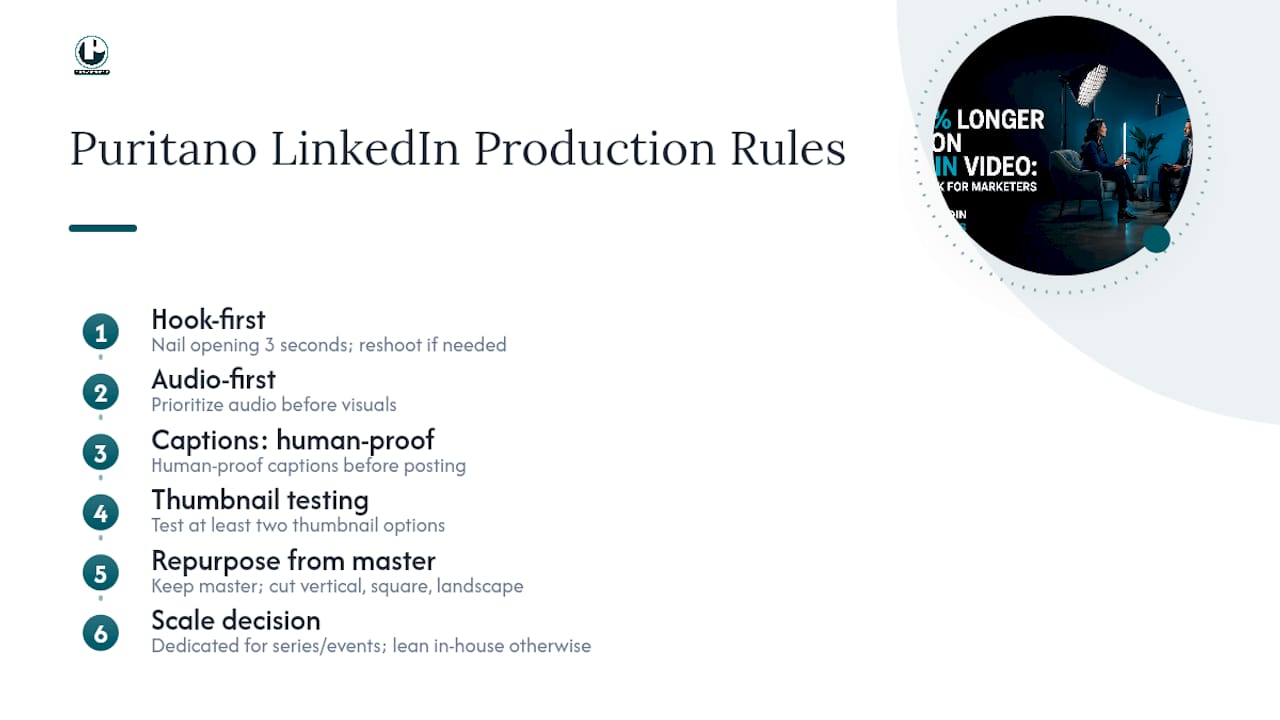
We build short-form sequences around the hook first, always. If the opening three seconds don’t survive a client review on their own, we cut and reshoot that section before touching anything else in the edit. Our production priorities on LinkedIn work run audio first, captions proofed by a human, and at least two thumbnail options tested against each other before a client’s post goes live.
We also shoot with repurposing built into the plan from day one, keeping a master file and cutting vertical, square, and landscape versions from the same shoot rather than reshooting for each format. Some projects genuinely need that kind of dedicated production support, especially recurring branded series or anything with a live-event component. Others are well within reach of a lean in-house setup once the team knows the specs and the hook rule.
— Charlie
Get LinkedIn Video Production Help From Puritano
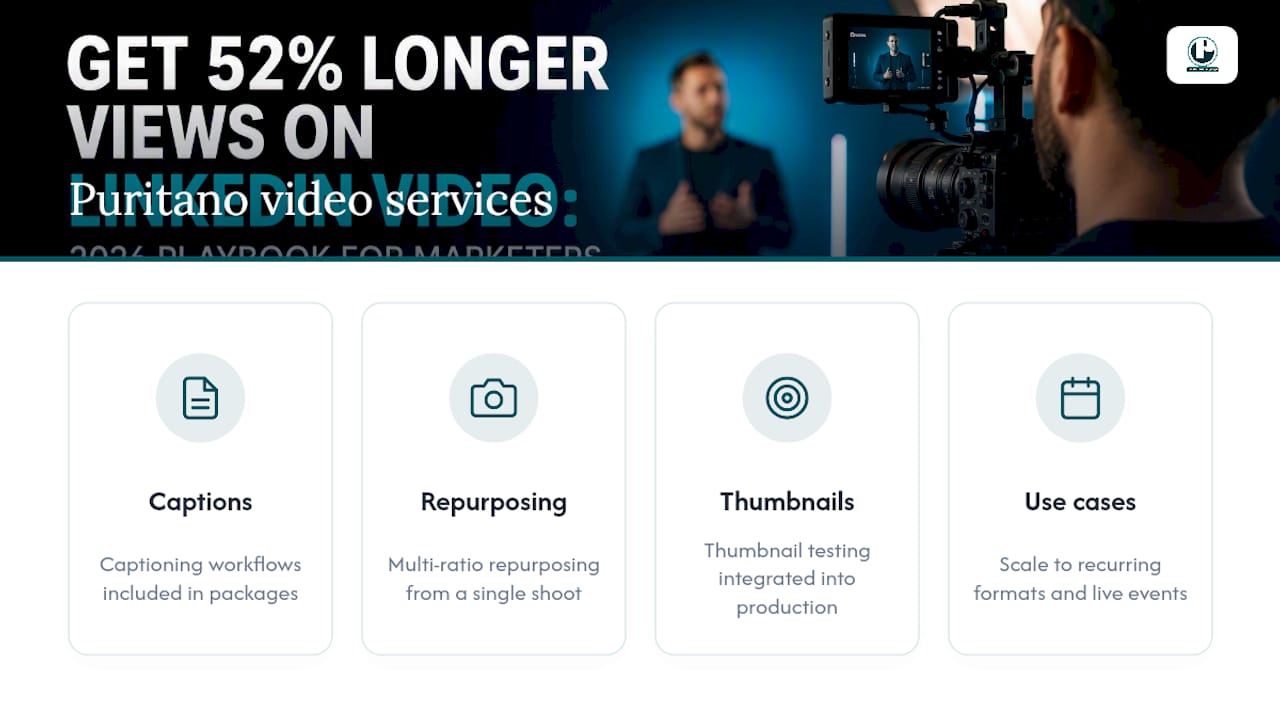
Some marketing teams prefer to outsource production tasks such as managing captions, aspect ratios, and thumbnail testing to focus on their content calendars. Social video packages can include captioning workflows, multi-ratio repurposing from a single shoot, and thumbnail testing integrated into the production process. This approach is especially useful when scaling from a few one-off clips into a recurring branded format or a video series tied to live events.
You can see finished production work in the music video portfolio, and if your content pipeline includes webinars, panels, or live sessions that need cutting into LinkedIn-ready clips, the virtual events case study shows how that repurposing works in practice. Requesting an estimate can help understand what a repeatable LinkedIn video program might look like for your team.
Sources
Check LinkedIn’s own Videos API documentation and video ad guidance for platform rules, plus Puritano’s guides on vertical video specs and subtitle workflows for production detail.
Recommended
Repurposing is what makes a professional feed sustainable, and it has to be planned before the shoot, not after. We direct Chats with Change Makers for DiscoverE, the national engineering outreach organization, filming each conversation in a planned session designed to yield a full episode plus cutdowns and short clips. One recording day becomes weeks of native posts, each cut for the platform it lands on. That is how a small team keeps a LinkedIn presence consistent without living in an edit bay.


Comments