

Pre-Event Video Promotion Creation Steps for 2026
Updated: 5 days ago

Pre-event video promotion creation steps are the structured tasks event organizers and marketing professionals follow to produce compelling videos that drive registrations and build event visibility before doors open. The industry term for this process is event video marketing, and it covers everything from scripting and production to platform distribution. Video accounts for approximately 82% of global internet traffic, which means your event competes for attention in the most crowded medium on the planet. Getting these steps right is the difference between a sold-out room and a half-empty one.
What do you need before starting pre-event video promotion?
Every strong event promo video starts with preparation, not a camera. Before you shoot a single frame, you need the right tools, assets, and a clear objective.
Essential tools and assets
The core production toolkit for event promo videos includes a camera capable of 1080p or 4K recording, a directional or lavalier microphone, and at least two light sources (a key light and a fill light). For editing, professional-grade software like Adobe Premiere Pro or DaVinci Resolve gives you full control over color, audio, and motion graphics. If budget or timeline is tight, AI-powered video platforms can generate polished clips from a script in a fraction of the time it takes to film from scratch.
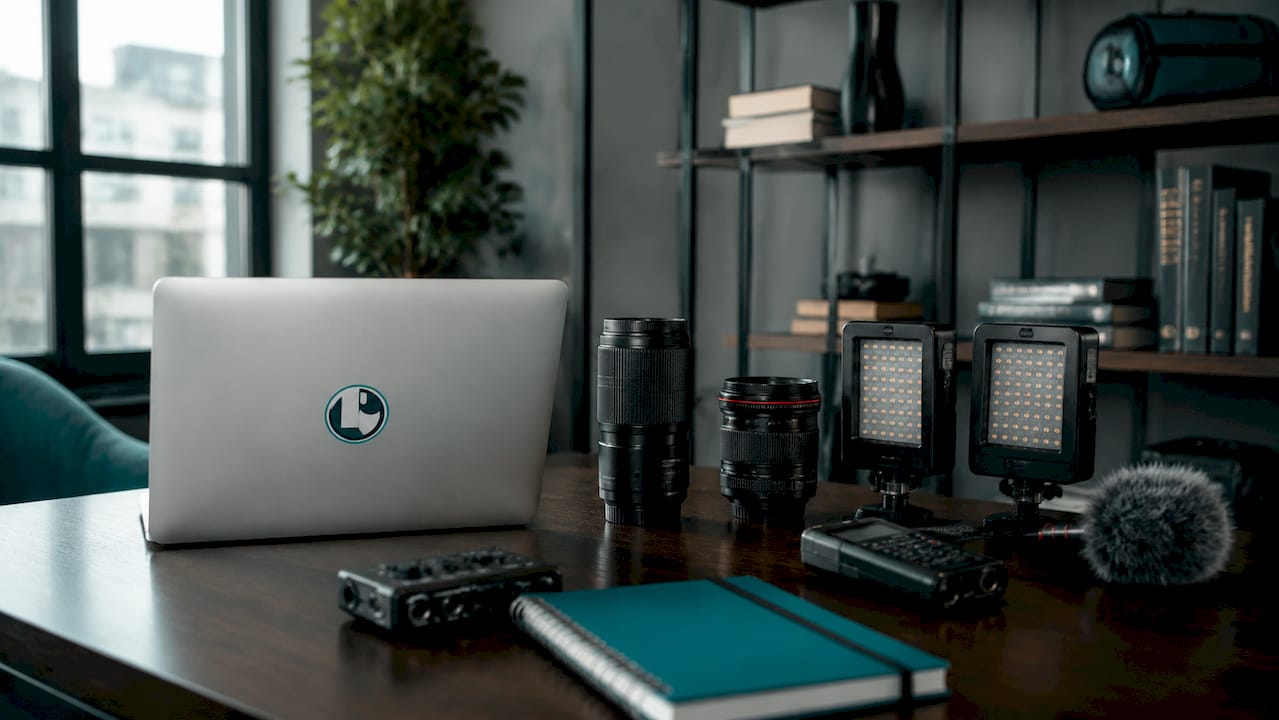
Beyond hardware, you need specific assets before production begins. Collect high-resolution venue photos, confirmed speaker headshots and bios, your event logo and brand color palette, and any sponsor assets that require placement. Missing even one of these mid-production creates delays that compress your promotional window.
Tool Category | Key Function |
Camera and lens | Captures primary footage at broadcast quality |
Lighting kit | Controls mood and eliminates unflattering shadows |
Directional microphone | Records clean audio for interviews and narration |
Editing software | Assembles footage, adds graphics, and exports platform-ready files |
AI video platform | Generates promo clips from scripts when filming is not yet possible |
Brand asset library | Maintains visual consistency across all video outputs |
Define your objective first
Before production, define one clear goal for each video. Are you driving registrations, building awareness, or spotlighting a speaker? A video trying to do all three usually accomplishes none of them well. Knowing your goal shapes every creative decision that follows, from script length to the call-to-action you place at the end. Puritano always asks clients this question before any camera rolls, because the answer determines the entire production approach.
Pro Tip: Review your pre-production checklist before locking your shoot date. Missing a single asset, like a confirmed speaker photo, can stall your entire editing timeline.
How do you script and storyboard a pre-event promo video?
Scripting and storyboarding are the two steps most event organizers skip, and it shows in the final product. A script gives your video a spine. A storyboard gives it a visual plan.
Step-by-step scripting process
Define the core message. Write one sentence that captures what the event offers and why someone should attend. Every line in your script should connect back to this sentence.
Write the hook first. The first 3 to 5 seconds are critical for viewer conversion. Open with an intriguing question, a bold visual, or a surprising fact. Do not open with your logo or a slow pan of the venue.
Keep the body tight. For a 60-second trailer, your script body should cover no more than three points: what the event is, who it is for, and what attendees will gain. Cut anything that does not serve those three points.
End with a single call to action. Tell viewers exactly what to do next. “Register at [URL]” or “Seats are limited, save yours today” are both clear and direct. Avoid stacking two calls to action in one video.
Read it aloud and time it. A 60-second video needs roughly 150 words of spoken script. If your read-through runs long, cut before you shoot.
Storyboarding basics
A storyboard does not require artistic skill. Simple box sketches showing camera angles, on-screen text placement, and scene transitions are enough. The goal is to align your production team before filming begins, so no one wastes time on set figuring out shots. For a 30-second teaser, a six-panel storyboard covers every scene you need. For a 90-second trailer, plan for 12 to 15 panels.
Video hooks must be immediately captivating, using questions or stunning visuals rather than prolonged branding. That insight should shape your first storyboard panel before anything else.
Pro Tip: AI tools can draft a first-pass script from a brief in minutes. Use that draft as a starting point, then rewrite it in your event’s voice. You save time without losing authenticity.
What are the best practices for producing and editing event promo videos?
Production quality signals credibility. A shaky, poorly lit video tells potential attendees that the event itself may be disorganized. These practices keep your output professional regardless of budget.
Video length guidelines
15 to 30 seconds: Social media teasers, Instagram Reels, TikTok clips. These are designed to create curiosity, not explain everything.
60 to 90 seconds: Full event trailers for YouTube, your website, and email campaigns. This length gives you enough time to cover the event’s value proposition clearly.
Under 2 minutes: The hard cap for any pre-event video. Viewer retention drops sharply after 90 seconds on most platforms.
Ideal promotional video durations are 15–30 seconds for social teasers and 60–90 seconds for event trailers. Staying within these windows respects your audience’s time and matches platform algorithms that favor shorter, high-completion-rate content.
Editing for sound-off viewing
85% of social videos are watched without sound, which means animated subtitles are not optional. They are the primary way most viewers consume your message. Word-by-word animated captions keep attention moving and make your video accessible to viewers with hearing impairments. Animated, word-by-word subtitles are critical to achieving conversions in sound-off social environments. Build them into your editing workflow from the start, not as an afterthought.
Branding and call-to-action placement
Keep your brand colors, fonts, and logo consistent across every video in the campaign. Inconsistency across a six-week rollout confuses viewers and weakens brand recall. Place your call to action in the final five seconds of the video, not buried in the middle. For social video formats, also add the call to action as on-screen text since many viewers never hear the audio.
Pro Tip: Batch-edit your footage into multiple lengths during one editing session. A 90-second trailer can yield a 30-second teaser and a 15-second social cut without additional filming. This approach triples your content output from a single shoot day.
How do you plan and execute the promotional rollout?
A great video released at the wrong time or on the wrong platform reaches no one. The rollout plan is where your production investment either pays off or gets wasted.
The standard pre-event timeline
The pre-event video promotion timeline starts 6 to 8 weeks before the event, with each phase serving a specific purpose. Here is how that breaks down in practice:
6 to 8 weeks out: Release teaser videos and speaker introduction clips. These build early awareness and give your audience a reason to follow the event’s social channels.
4 weeks out: Publish venue showcase videos and “what to expect” walkthroughs. At this stage, potential attendees are evaluating whether the event is worth their time and travel.
2 weeks out: Switch to urgency-focused countdown content. Highlight limited seating, early-bird deadlines, or exclusive sessions to push fence-sitters toward registration.
Final week: Day-of previews and last-chance reminders. Short, punchy clips work best here.
Platform selection and publishing cadence
Effective video promotion requires publishing on platforms where your audience is active. Instagram and TikTok reach consumer and lifestyle event audiences during off-hours. LinkedIn reaches professional conference attendees during business hours. Email remains the highest-conversion channel for driving actual registrations, so pair every major video release with an email send.
Video Type | Purpose | Timing | Distribution Channel |
Teaser clip | Build curiosity and awareness | 6–8 weeks out | Instagram, TikTok, email |
Speaker spotlight | Establish credibility and draw | 5–6 weeks out | LinkedIn, email, website |
Venue showcase | Reduce hesitation and build excitement | 3–4 weeks out | YouTube, website, email |
Countdown video | Create urgency and drive registrations | Final 2 weeks | All social channels, email |
Day-of preview | Maximize last-minute attendance | Event week | Instagram Stories, email |
A structured pre-event campaign sequences teaser, spotlight, venue, and countdown videos strategically. Batch-producing these clips in advance lets you respond quickly when one format outperforms another. If your speaker spotlight gets three times the engagement of your venue video, produce a second speaker clip instead of sticking rigidly to the original plan.
Key Takeaways
Effective pre-event video promotion requires a structured sequence of planning, scripting, production, and timed distribution to convert viewers into registered attendees.
Point | Details |
Start with clear objectives | Define one goal per video before scripting to keep messaging focused and conversion-ready. |
Hook viewers in 5 seconds | Open with a question or bold visual, not a logo, to retain attention past the critical drop-off point. |
Match length to platform | Use 15–30 second clips for social teasers and 60–90 second trailers for email and website. |
Add animated subtitles | Word-by-word captions are required for sound-off viewing, which covers the majority of social video plays. |
Start the rollout 6–8 weeks out | Sequence teasers, spotlights, venue showcases, and countdowns to build momentum toward the event date. |
What I’ve learned from years of event video campaigns
Here is something most event video guides will not tell you: the biggest mistake organizers make is not a production mistake. It is a timing mistake. They finish the video two weeks before the event and wonder why registrations did not move. A six-week rollout with five different video types will always outperform a single polished trailer dropped at the last minute.
The second thing I have seen consistently is that organizers underestimate how much AI has changed the pre-event content gap. AI-generated video allows creating pre-event content rapidly, including venue walkthroughs, even before the venue is physically ready for filming. That is not a gimmick. For events booked at venues still under construction or renovation, it is a genuine production solution. We have seen clients use AI-generated walkthroughs to sell out early-bird tickets before a single camera crew stepped on site.
That said, AI is a production tool, not a creative director. The script still needs a human voice. The brand story still needs someone who understands what makes the event worth attending. The best campaigns I have worked on combine AI’s speed with a production team’s judgment about what actually resonates with a specific audience. Leaning too hard on AI-generated content without that editorial layer produces videos that feel generic, and generic does not sell tickets.
My honest advice: use the event video marketing guide as your strategic foundation, build your rollout calendar before you touch a camera, and treat every video type as a distinct creative brief. That discipline is what separates campaigns that fill rooms from ones that generate views but not registrations.
— Charlie
Puritano’s video production services for event marketers
Event organizers who want professional production behind their campaigns work with Puritano Media Group, a full-service video production company with over two decades of experience serving clients in the Washington D.C. area and nationally. Puritano specializes in live event coverage and branded content that translates directly into pre-event promotional assets. The team handles scripting, production, editing, and platform-ready delivery, so your campaign launches on schedule without the bottlenecks that come from managing multiple vendors. For organizers who want to see the quality of work before committing, the video production portfolio shows the range and caliber of what Puritano delivers across formats and industries.
FAQ
What are the pre-event video promotion creation steps in order?
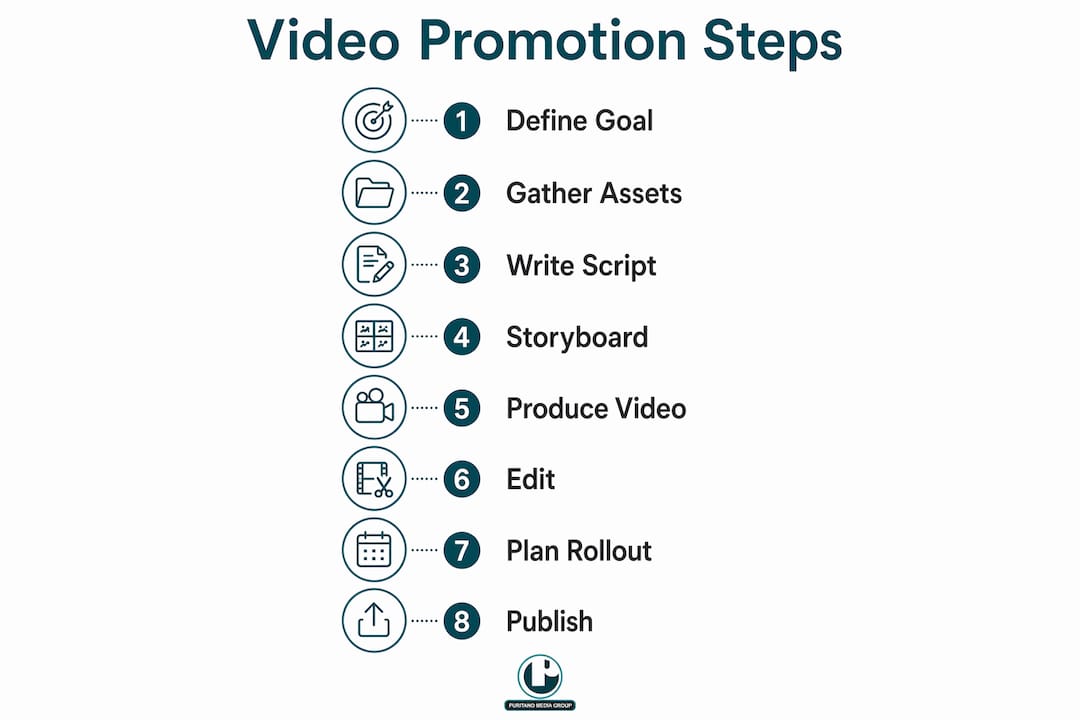
The core steps are: define your objective, gather assets, write and storyboard your script, produce and edit the video, then distribute it according to a timed rollout starting 6 to 8 weeks before the event.
How long should a pre-event promotional video be?
Social media teasers should run 15–30 seconds, while full event trailers perform best at 60–90 seconds. Viewer retention drops sharply beyond 90 seconds on most platforms.
Why do pre-event videos need animated subtitles?
85% of social media videos play without sound, so animated captions are the primary way most viewers read your message. Subtitles also improve accessibility and increase completion rates.
When should I start publishing pre-event videos?
Start your rollout 6 to 8 weeks before the event with teaser and speaker content, then shift to venue showcases at 4 weeks and urgency-driven countdowns in the final 2 weeks.
Can AI tools replace a video production team for event promos?
AI tools speed up content creation significantly, with some platforms generating professional clips from a script in under 3 minutes. They work best alongside a production team that provides creative direction and brand judgment, not as a full replacement.
Recommended
Promotion for an event works better when the event's own content is planned at the same time. We directed the three-minute opener for the Transcatheter Cardiovascular Therapeutics conference, a piece that had to be finished before the doors opened and set the tone for everything after it. Thinking about the meeting as content from the start changes what you plan to capture: the opener, the keynote moments, and the footage that will promote next year's edition are all on the shot list from day one, not wishes made afterward.


Comments