

Production Videos That Drive Real Business Results
Updated: 3 days ago

Production videos are structured video content designed to visually communicate a brand’s processes, products, or services to a defined audience. When done right, they are one of the most persuasive tools a business has. Social video engagement nearly doubled in 2026, with LinkedIn emerging as the top channel for B2B content and website videos delivering the highest return on investment. Yet most organizations still treat video as an afterthought rather than a strategic asset. This guide walks you through the full production workflow, the tools you need, and the filming and editing practices that separate forgettable clips from videos that actually move people.
What are the core stages of a production video workflow?
Corporate video production follows three distinct phases: pre-production, production, and post-production. Each phase has its own deliverables, and skipping steps in one creates expensive problems in the next. Understanding this end-to-end workflow is the single most important thing you can do before picking up a camera.
Phase 1: Pre-production
Pre-production is where the real work happens. This phase covers everything from the initial creative brief through scripting, storyboarding, shot listing, and location scouting. A well-built shot list is not optional. It is the document that keeps your entire shoot on schedule and prevents the most common production failure: missing critical footage.
Write the creative brief (goal, audience, platform, tone, deadline)
Develop the script and narrative arc
Build a storyboard to visualize key scenes
Create a detailed shot list with camera angles and coverage requirements
Scout and lock locations, arrange permits if needed
Phase 2: Production
Production is the filming phase. This is where your planning pays off. A professional shoot captures primary footage alongside B-roll, cutaways, and transition shots. Locking shot lists before filming and systematically collecting coverage angles allows editors to build multiple versions for different platforms without returning for costly reshoots.
Primary footage: interviews, demonstrations, process sequences
B-roll: supporting visuals that give editors flexibility
Cutaways and transitions: shots that smooth the edit and reinforce the narrative
Audio: clean dialogue, ambient sound, and room tone for post-production use
Phase 3: Post-production
Post-production transforms raw footage into a finished product. The typical workflow moves through a rough cut, a polish pass (sound mix, color grade, subtitles), and then export and versioning for multiple channels. Each step builds on the last, so rushing the rough cut creates compounding problems downstream.
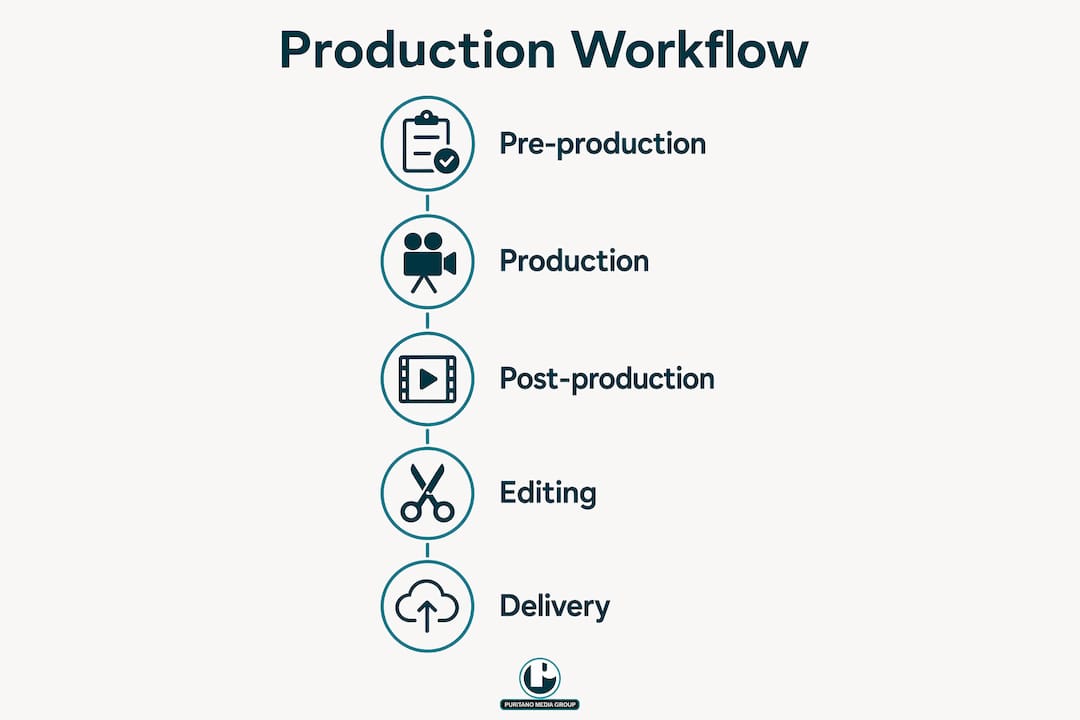
Pro Tip: Lock your rough cut before touching color or sound. Editors who jump to polish before the structure is approved waste hours on work that gets discarded.
What tools and preparations do you need before creating a production video?
The difference between a smooth shoot and a chaotic one usually comes down to preparation, not budget. A clear brief that outlines project goals, audience, platform, style, and deliverables keeps every team member aligned and reduces the feedback confusion that derails timelines.
Before you schedule a single shoot day, work through this checklist:
Creative brief: Define the goal (awareness, sales, training), the audience, the distribution platform, and the approval chain with deadlines
Script and shot list: Write dialogue and narration first, then build the shot list from the script so every line has corresponding footage
Equipment: Camera body, lenses (wide and close-up), lighting kit, lavalier and boom microphones, tripod, and stabilizer
Software: Adobe Premiere Pro or DaVinci Resolve for editing; Grammarly for script review; frame.io or Google Drive for file sharing and client review
Permits and permissions: Location releases, drone permits (FAA Part 107 for commercial use in the U.S.), and talent releases
Team roles: Director, director of photography, audio technician, production coordinator, and on-screen talent or subject matter experts
Here is a quick comparison of the two most widely used editing platforms for business video work:
Platform | Best for | Learning curve | Cost |
Adobe Premiere Pro | Multi-platform delivery, team collaboration | Moderate | Subscription |
DaVinci Resolve | Color grading, offline editing | Steeper | Free/paid tier |
Choosing between them depends on your team’s existing skills and your delivery requirements. Adobe Premiere Pro integrates tightly with After Effects and Audition, which matters if your videos include motion graphics or complex audio work. DaVinci Resolve’s color tools are industry-leading and the free version is genuinely capable for most business productions.
Pro Tip: Ask every organization to answer five key questions before starting any video project. Clarity on purpose and audience at the brief stage saves weeks of revision later.
How to shoot and edit production videos for maximum engagement
Filming with the edit in mind is a discipline, not an instinct. Most first-time producers shoot what looks good on the day. Experienced crews shoot what the editor needs. Those are two different things.
Capture multiple angles for every key moment. A single-angle interview is hard to edit. Two cameras give you coverage. Three give you freedom. Multi-angle coverage and backup shots save costly reshoots and smooth the editing workflow significantly.
Control your audio before you control your lighting. Bad audio destroys a video faster than bad lighting. Use a lavalier mic for interviews and a boom for movement sequences. Record room tone at every location for at least 30 seconds.
Build your edit from structure, not from favorite shots. Start with a rough cut that tells the story in the correct order. Then identify gaps and fill them with B-roll. Narrative arcs and storyboarding make production videos more compelling by clearly communicating processes and proof.
Polish in this order: sound mix first, then color grade, then graphics and subtitles. Changing the order creates rework.
Create platform-specific versions. A 3-minute website video becomes a 60-second LinkedIn cut and a 15-second social teaser. 83% of companies share video on social networks, so versioning is not optional if you want full reach.
One insight worth holding onto: audiences forgive imperfect production quality when the content is useful and well-scripted. A polished video with a weak message consistently underperforms a rougher video with a clear, relevant story. That finding should change how you allocate your time and budget.
Pro Tip: Add embedded lead capture forms to website videos. Interactive video elements like these can convert a meaningful percentage of viewers into leads without any additional ad spend.
What are common challenges in producing production videos?
Every production hits friction. The organizations that handle it well are the ones that anticipated it. Here are the problems we see most often and how to address each one directly.
Missing shots. The most common and most preventable problem. It happens when teams skip the shot list or treat it as a loose suggestion rather than a binding document. The fix is simple: build the shot list from the script, review it with the director and editor before the shoot, and check shots off in real time on set.
Audio and lighting failures. Equipment problems mid-shoot are rarely about the gear. They are about not testing the gear. Run a full technical check the day before every shoot. Bring backup batteries, backup cards, and a spare lav mic. These items cost almost nothing compared to a reshoot.
File disorganization. Post-production chaos almost always traces back to inconsistent file naming and folder structures. Establish a naming convention before the first shoot day and enforce it. A simple structure like Project/Date/Camera/Scene keeps editors from wasting hours hunting for footage.
Budget versus quality tension. Limited budgets push teams toward cutting corners on lighting or audio, which are the two elements audiences notice most. A better approach is to scope the production to the budget rather than degrade quality across the board. A shorter, tighter video shot well outperforms a longer video shot poorly every time.
“The most persuasive production videos treat the camera as a witness, not a promoter. Show the process honestly, and buyers will trust the product.” This principle, drawn from factory video production practice, applies equally to corporate, nonprofit, and government video work.
Weak messaging or missing call to action. A video without a clear next step is a missed opportunity. Every production video needs one defined action for the viewer: visit a page, request a demo, download a resource, or contact the team. Build the call to action into the script, not as an afterthought in post.
Key takeaways
Effective production videos require disciplined pre-production, multi-angle filming, structured editing, and platform-specific versioning to deliver measurable business results.
Point | Details |
Pre-production determines success | A locked shot list and clear brief prevent the majority of costly production problems. |
Content quality beats technical polish | Audiences engage with well-scripted, relevant content even when production quality is imperfect. |
Multi-angle coverage enables versioning | Capturing B-roll and alternate angles lets editors build multiple platform cuts without reshoots. |
Audio is the first priority on set | Poor audio destroys viewer trust faster than any lighting or camera issue. |
Every video needs a defined call to action | Build the next step into the script before production begins, not during the edit. |
What 20 years of production work actually taught me
Here is what I have learned after two decades of producing videos for businesses, associations, and government agencies: the organizations that get the best results are almost never the ones with the biggest budgets. They are the ones that invest the most time in pre-production.
I have watched well-funded shoots fall apart because nobody locked the shot list. I have also watched lean productions with a $15,000 budget outperform $80,000 projects because the team spent three weeks on the script and storyboard before touching a camera. The math is not complicated. Every hour you spend in pre-production saves three hours in post.
The other thing I would push back on is the obsession with production polish. Clients often come to us wanting their video to look like a Super Bowl commercial. That instinct is understandable, but it is usually the wrong goal. What viewers actually respond to is authenticity and clarity. A behind the scenes video that honestly shows your team at work will outperform a slick brand film with no substance. The storytelling approach matters more than the production budget.
Finally, measure what matters. Watch time and play rate tell you whether your content is holding attention. If viewers drop off in the first 30 seconds, the problem is the opening, not the length. Use that data to improve the next video, not to justify cutting production investment.
— Charlie
How Puritano can help you produce videos that work
Puritano Media Group has spent over 20 years producing corporate videos, event coverage, branded content, and government communications for clients across the Washington D.C. area and nationally. The team handles every phase from creative brief through final delivery, which means you get a single accountable partner rather than a chain of freelancers. If you are ready to put a real video production strategy behind your brand, Puritano brings the workflow discipline, storytelling experience, and technical depth to make it happen. Explore the full range of production services or reach out directly to discuss your next project.
FAQ
What is a production video?
A production video is structured video content that visually communicates a business’s processes, products, or services to a specific audience. It differs from a simple promotional clip by following a defined workflow: scripting, filming, editing, and delivery.
How long should a business production video be?
Length depends on platform and purpose. Website videos can run longer because engaged viewers seek depth, while LinkedIn and social cuts perform better under 90 seconds. Build the full version first, then create shorter platform-specific edits.
What equipment do you need to make a production video?
At minimum, you need a capable camera, a prime or zoom lens, a lighting kit, a lavalier or boom microphone, and editing software like Adobe Premiere Pro or DaVinci Resolve. A tripod and stabilizer are also standard for professional results.
Why do some production videos fail to engage viewers?
The most common cause is weak scripting and a missing call to action, not poor camera work. Polished videos without a strong message consistently underperform well-scripted videos with modest production values.
How many versions of a production video should you create?
Plan for at least three: a full-length version for your website or presentations, a mid-length cut for LinkedIn or email, and a short teaser for social media. Capturing multi-angle coverage during the shoot makes this versioning process straightforward without additional filming.
Recommended
Results are easier to claim when the film has a defined audience and a defined job. We filmed the build of Bechtel's Stonewall Energy Center in Loudoun County, Virginia, following the project's largest components on site and in transit, with members of the project team carrying the story in interviews. The two-minute film documents a major energy build for the people who built it and the community around it. It works as a business asset because it was scoped that way at the start, not trimmed down from general coverage afterward.


Comments