

Save Edit Time: Editor First Corporate B Roll Planning With the 3 Shot Rule
Updated: 5 days ago

Effective b-roll planning corporate teams can rely on starts with the script, not the camera bag. Derive every shot from a specific cut point, name the job it needs to do in the edit, and shoot it three ways: wide, medium, and detail, holding each for at least 10 seconds. Do that on paper before the shoot day, and your editor will thank you before your gear does.
TL;DR:
Derive every shot from script cut points, defining each shot’s purpose, framing, movement, duration, and necessity before filming begins.
Plan to shoot three versions of each subject, hold each take for at least 10 seconds, and overshoot your plan by two to three times for safety.
Match camera focal lengths to shot type: wide around 24–35mm, medium at 50mm, and detail at 85mm or longer, while using appropriate movement techniques.
Organize shots by location and lighting in your schedule, include buffer time, and prioritize essential claims over atmosphere shots when time runs short.
Legal permissions are required for filming inside private spaces and for individuals clearly identifiable, with clear licensing needed for music and stock footage based on distribution scope.
The B-Roll Planning Corporate Checklist You Can Print Before the Shoot
A shot list only earns its keep when it lives on set, not in a folder. Print it, laminate it, hand a copy to your director of photography and your assistant director, and check off shots as they land. StudioBinder’s b-roll template recommends exactly this: define the purpose of each shot, group them into setups, export a PDF, and mark completion in real time.
Corporate shoots tend to need the same handful of shot categories, no matter the industry:
Establishing shots of the building, campus, or storefront
Detail shots: hands typing, product close-ups, machinery in motion
People shots: candid work moments, walk-and-talks, team interactions
Movement shots: someone entering a frame, a door opening, foot traffic
Atmosphere shots: light through windows, signage, environmental texture
Your shot-line template needs these fields to be useful on the day:
Subject (what or who is in frame)
Framing (wide, medium, or detail)
Movement (locked, handheld, gimbal, slider)
Job (illustrate, cover, breathe, establish)
Duration (minimum hold time)
Gear required
Location
Time estimate
Three hard rules keep this template from becoming a wish list: shoot three versions of every subject, hold each take for a sufficiently long duration, and overshoot your plan by two to three times. You will not regret the extra footage. You will absolutely regret the gap in the timeline it prevents.
How Do You Derive B-Roll from a Script?
Start with the script, not a shot idea. Read through and mark every cut point where the voice-over or interview needs visual cover. At each mark, name the job: does this shot illustrate a specific claim, cover an edit transition, give the viewer a breathing beat, or establish a location? Storyflow’s planning framework builds the entire shot list backward from this logic, and it works because every shot earns its place before anyone picks up a camera.
Once a cut point has a job, convert it into a full shot-list line: subject, framing, movement, duration, and the job itself. A row that just says “office b-roll” is useless on set. A row that says “receptionist answering phone, medium shot, static, illustrate customer service claim, 12 seconds” tells your operator exactly what to capture and why.
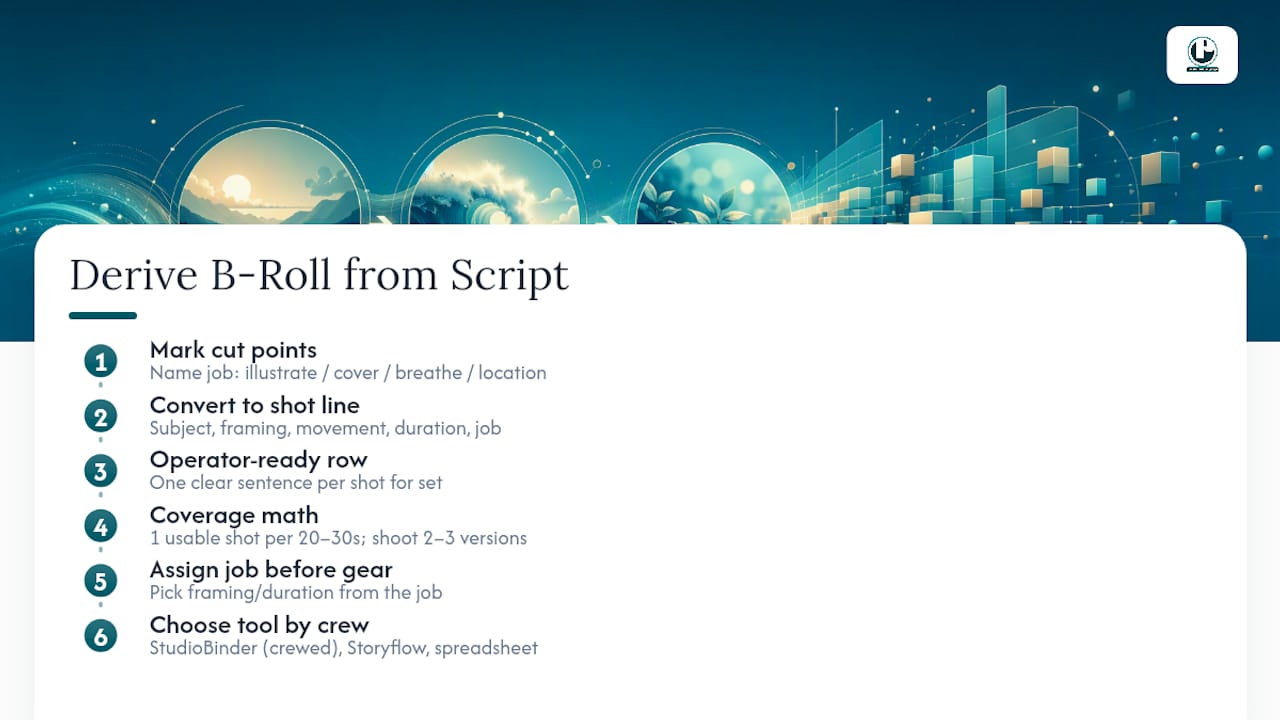
For coverage math, plan on roughly one usable shot per 20 to 30 seconds of finished runtime, and shoot two to three versions of each to protect your options in the edit.
Pro Tip: Assign the “job” column before you assign the gear. Once you know a shot needs to breathe rather than illustrate, the framing and duration decisions make themselves.
For tool choice, match the tool to crew size. StudioBinder suits crewed, multi-day shoots with call sheets and scheduling needs. Storyflow works well when the shot list needs to stay tied to the script itself. A plain spreadsheet is often the fastest option for a one-person crew with a half-day shoot.
What Camera Specs Make B-Roll Actually Cut Together?
Editing speed comes down to decisions you made on set, not in the timeline. The three-framing strategy (wide, medium, detail) gives your editor coverage options for nearly any pacing need, and a rough focal-length guide helps: wide shots around 24 to 35mm to establish space, medium around 50mm for context and subject, and detail shots at 85mm or longer to isolate texture and small action.
Motion should match intent, not habit:
Locked-off tripod shots for reference footage and interview cutaways
Gimbal movement for walk-throughs and hallway transitions
Slider moves for product reveals or slow environmental pans
Frame rate matters more than most in-house teams realize. Shoot your standard coverage at 24, 25, or 30 frames per second to match your main footage, and reserve 60 frames per second or higher for anything you plan to slow down in post, like a handshake or a product unboxing. Keep exposure consistent across a location so shots intercut cleanly, and always record 30 seconds of ambient room tone at each location. That quiet audio track saves an editor from an awkward silence or a jarring cut later.
Adobe’s own guidance on b-roll backs this up directly: plan the shot list ahead of time, then experiment with different angles and speeds once you are on set, rather than treating the camera settings as an afterthought.
How Do You Turn a Shot List into a Shoot-Day Schedule?
A shot list is not a schedule until you group it by logistics. Reordering shots by location, lighting condition, and gear setup, rather than by story order, is what actually saves time on the day.
Group every shot by physical location first, then by lighting setup within that location.
Assign a minute estimate to each shot: time for lighting adjustments, blocking, a rehearsal pass, and the actual capture.
Sum those estimates to get a realistic day length, then compare it against your call time and wrap time.
Build in a buffer of extra time, because setup often takes longer than expected.
When the math shows you are running short, decide what gets cut before you are standing in the hallway deciding under pressure. Cut atmosphere shots first since they are the easiest to replace with stock or a quick pickup. Protect the shots tied directly to script claims; those are the ones your editor cannot work around.
Pro Tip: Assign one person, usually the AD or a production assistant, to own the checklist and communicate schedule changes to the editor in real time. A shot list nobody is tracking is just a wish list.
On-Set Tracking: Checklists, Metadata, and Avoiding Reshoots
Discipline on set is what separates a shoot that edits itself from one that requires a reshoot request three weeks later. A printed or digital checklist, marked off shot by shot as you capture it, is the single habit StudioBinder’s workflow centers on, and it works because it forces a real-time decision: did we get this, or not?
Naming and metadata matter just as much as the footage itself:
Label each clip with scene, shot-line number, take, and a short description
Keep a consistent naming convention across cameras if you are running multiples
Note which takes the DP or director flagged as strongest during the shoot
Capture a few extra seconds of handle on either end of every take, and grab an alternate angle of anything that felt uncertain in the moment. If a shot comes up short on set, the fix is almost always simple: extend the hold, swap to a second lens, or grab one more detail shot of the same subject before you break down the setup.
Handing Footage to Your Editor Without the Guesswork
The handoff determines how fast your editor can actually work. A clean folder structure with your selects separated from raw footage, proxies generated for anything shot in a heavy codec, and shot metadata intact saves hours of searching later.
Organize by scene, then subject, then shot size, so an editor can find “CEO interview, medium, take 3” without scrubbing through an entire card. Keep your naming convention consistent from the shot list straight through to the final export.
Selects folder separated from raw camera cards
Proxies for any 4K or high-bitrate footage
Metadata tags for location, subject, and usage rights
Tag footage for reuse rights and location at the time of capture, not months later. A well-tagged b-roll library becomes an asset your marketing team can pull from for years, not a one-time cost buried in a single project.
What Puritano Has Learned from Two Decades of Corporate Shoots
Standard rules bend at conferences and remote interviews. When you cannot control lighting or block a hallway, you plan tighter coverage and fewer setups, then lean harder on audio and detail shots to carry the edit. Puritano built its event b-roll strategy around exactly this kind of adaptation. Get your editor into the planning conversation early, and keep the checklist habit even on a one-camera shoot. It is the cheapest insurance in production.
Establishing, Detail, Movement, and Atmosphere: The Four Shots Every Corporate Video Needs
Corporate storytelling video succeeds or fails on four shot categories working together, and skipping any one of them leaves a visible gap in the final cut.
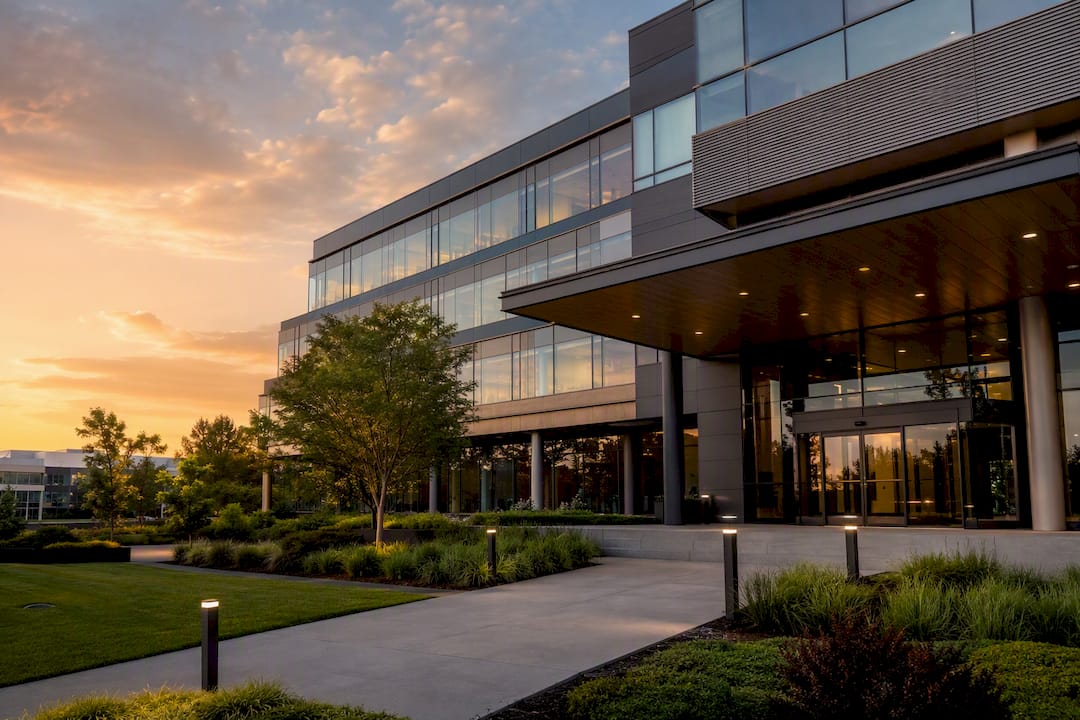
Establishing shots do the most obvious job: they tell the viewer where they are. A wide exterior of the headquarters, a signage shot, or an aerial of a campus sets geography before anything else happens on screen.
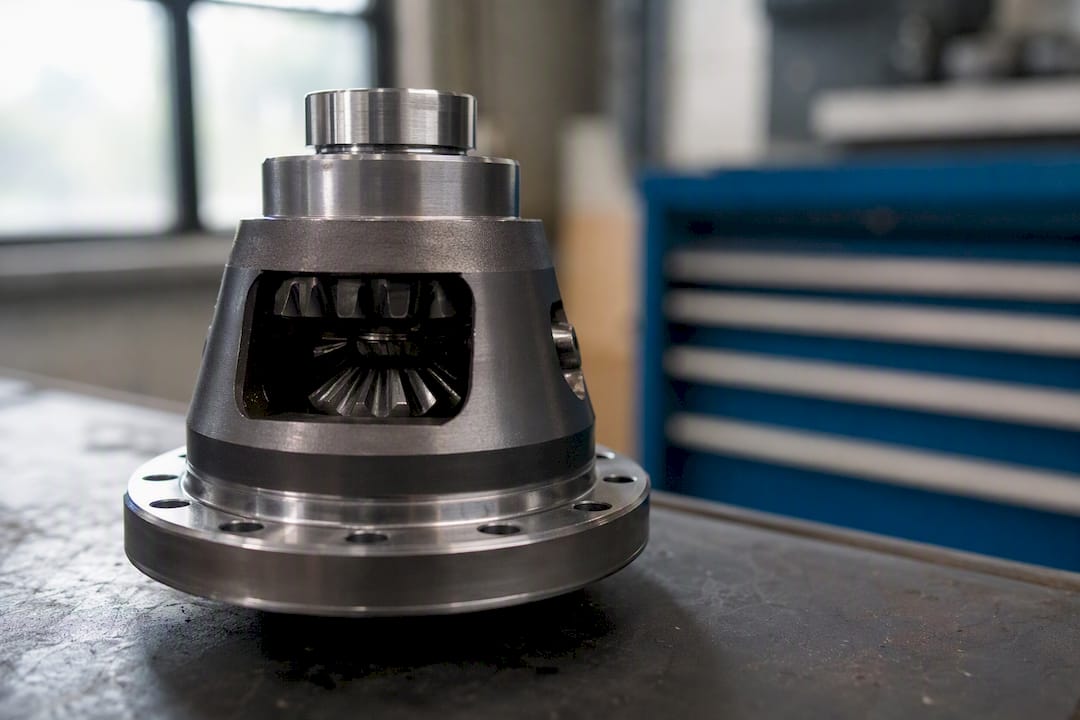
Detail shots carry the emotional and factual weight. Hands on a keyboard, a product spec sheet, a machine part in motion: these close-ups make abstract claims feel concrete, and they are what Shutterstock’s corporate b-roll guidance points to when it recommends candid, small-action footage over posed shots.
Movement shots keep a corporate video from feeling static. A door opening, someone walking into frame, foot traffic through a lobby: these shots give an editor something to cut on and prevent the video from feeling like a slideshow of talking heads.
Atmosphere shots are the ones teams cut first when time runs short, which is a mistake. Light through a window, texture on a wall, the hum of an open floor plan: these shots set mood and pacing between harder story beats, and their absence is one of the more common gaps flagged in corporate video mistakes that otherwise strong projects make.
Plan for all four categories in your shot list before the shoot, not as an afterthought once you are already on location.
What Legal Permissions Does Corporate B-Roll Filming Require?
Corporate b-roll planning has a legal layer that gear and framing decisions do not touch. Filming inside a private office, warehouse, or retail space requires written permission from the property owner or facility manager, even when your own company occupies the building, since insurance and liability terms often require documented consent for any production activity.
Employees and visitors who appear on camera, even in a background walk-through shot, generally need a signed release before that footage can run in a public-facing video. This applies to internal training content just as much as external marketing pieces, since usage rights differ depending on where the video will run and for how long.
Public spaces carry their own rules. Filming on a sidewalk or in a public plaza is usually permitted, but filming that includes a private business’s signage, storefront, or recognizable employees may still require that business’s consent depending on how the footage gets used.
Music and stock footage used to fill atmosphere gaps need licensing that matches your actual distribution: a track cleared for internal use is not automatically cleared for a paid social campaign. Confirm your rights before the edit locks, not after a client asks where a shot came from. When permissions are unclear, involve legal or compliance review early. The pre-production questions worth asking before any project starts should include exactly this kind of scope check.
How Much Should You Budget for B-Roll Coverage?
B-roll planning eats time before it eats footage, and time is the line item most corporate budgets underestimate. A shoot dedicated purely to b-roll, separate from your interview or main footage day, typically produces stronger coverage than trying to squeeze b-roll around a packed interview schedule.
Budget for crew based on complexity, not just headcount. A single operator with a gimbal can cover a modest office environment efficiently, but a multi-location shoot with a product line, an exterior, and several departments usually needs additional operators to meet shot count in a single day. Corporate video budget planning treats b-roll coverage as its own line rather than folding it into a generic “production day” estimate, and that separation makes it easier to defend the cost internally.
Resource allocation also means protecting post-production time. Extra b-roll footage takes longer to organize, tag, and select from, so more footage coverage increases the editing workload, not just camera-day cost. Skipping this line is one of the more common budget mistakes on corporate projects: teams pay for great coverage, then rush the selects process and lose half its value.
Build in some contingency for pickup shots. Almost every corporate shoot identifies at least one gap once the rough cut comes together, and having budget set aside for a short return visit is cheaper than reshuffling the entire schedule.
What Equipment Actually Matters for Corporate B-Roll?
Gear decisions should follow your shot list, not the other way around. A gimbal earns its cost when your plan includes walk-throughs or hallway transitions; a slider earns its cost when you have product reveals or a controlled tabletop setup. Buying either without shots planned for them is money spent on footage you will not use.
A second camera body pays for itself on any shoot with more than one location or a tight schedule, since it lets you cover a detail shot while your primary camera holds a wide. For audio, a compact recorder dedicated to room tone capture, separate from your interview audio setup, keeps that 30-second ambient track from becoming an afterthought squeezed in at the end of a location visit.
Lens choice matters more than camera body for most corporate b-roll. A prime lens in the 35 to 50mm range covers most medium and detail work, while a longer lens in the 85 to 135mm range isolates small details, like hands or product texture, without needing to physically move the camera into a tight or awkward space.
Monitors and exposure tools matter on multi-camera days specifically because exposure consistency across shots is what lets an editor intercut them without a visible jump in brightness or color. A field monitor with false color or zebra stripes catches exposure drift before it becomes a post-production fix. For teams coordinating pre-production logistics across multiple departments or locations, preparation guidance from production partners offers a useful checklist for aligning gear needs with the actual shoot plan before the day arrives.
How Do You Adapt B-Roll Plans When the Shoot Day Changes?
Plans change on set more often than any shot list accounts for, and the teams who handle it well built flexibility into the plan from the start rather than improvising from zero. A location falls through, an executive’s schedule shifts by an hour, or weather kills your planned exterior shot: the fix starts with knowing which shots on your list are essential and which were always nice-to-have.
Rank your shot list by priority before the shoot, not during it. Mark which shots directly illustrate a script claim versus which ones add atmosphere or texture, since the atmosphere shots are the ones you can drop or substitute without damaging the final edit.
Keep a short list of backup locations and subjects in your back pocket. If the planned hallway walk-through location is suddenly occupied by a client meeting, having a second hallway or open area already scouted saves the schedule from collapsing into improvisation.
Communicate changes to the editor as they happen, not after the shoot wraps. If a planned shot got cut or swapped, a quick note saves your editor from building a cut around footage that does not exist. The same discipline that makes a checklist useful on set, marking what changed in real time, is what keeps a disrupted shoot day from becoming a disrupted edit.
Publisher Perspective: Planning Beats Gear Every Time
The best corporate b-roll rarely comes from better equipment. It comes from a shot list built from the script, reviewed by the cinematographer and AD before the shoot, and checked against the editor’s actual needs before anyone books a camera. Cross-role review catches gaps that a solo planner misses every time. Derive your shots from cut points, name the job each one does, and the rest of the shoot day tends to take care of itself.
— Charlie
Get a B-Roll Shot List Built for Your Next Corporate Shoot
Puritano Media Group has spent two decades building corporate video, event coverage, and branded content for organizations that need footage to work the first time, not after a reshoot. Our teams plan shot lists the same way this article describes: derived from the script, reviewed by the editor before the camera rolls, and tracked in real time on set.
If your next project includes a hybrid or virtual component, our virtual event production work shows how we handle multi-camera coverage under tight, unpredictable schedules. Reach out for a planning consult, and we will build a shot list and shoot-day schedule scoped to your actual script, location, and budget, not a generic template. Start that conversation at Puritano and get a plan in place before your next shoot day.
Sources
Recommended
Planning b-roll from the script pays off twice when the footage is treated as an asset instead of a byproduct. Our longest-running association relationship, with the Washington Building Congress, runs year-round from a shared archive of event coverage, member stories, and Hall of Fame films honoring master craftsmen in stone and the building trades. Because every shoot adds to that archive with the edit in mind, each new Congress piece starts from footage the organization already owns instead of starting over.


Comments