

Mood Board for Video Production: Lock the Look Before You Shoot
Updated: Aug 12

A mood board for video production is a curated, single-canvas visual reference that converts a project’s intended look and tone into concrete production decisions before a single camera rolls. Think of it as a visual contract between the director, DP, production designer, and every department head who needs to execute that vision consistently.
Primary purpose: Align every department, from cinematography to wardrobe, around one shared aesthetic before production begins.
Best timing: Build it at kickoff, during early pre-production, before the storyboard or tech scout.
Immediate benefits: Reduces costly reshoots, clarifies color grading intent, and speeds up wardrobe and art direction approvals.
At Puritano Media Group, the mood board is the first document we lock before any production planning moves forward. It saves more time than almost any other pre-production step.
What is a mood board for video production, and how does it differ from a storyboard?
A mood board is a curated, annotated single canvas that translates a creative vibe into specific production decisions. It answers the question: What does this project look and feel like? A storyboard answers a different question entirely: How does each scene play out in sequence? NoFilmSchool explains that the mood board sets visual direction first, and the storyboard maps how each scene delivers that feeling. You build the mood board first, always.
Here is how the four common pre-production documents compare:
Document | Core job | When to use it |
Lock aesthetic, tone, and palette | Kickoff, before storyboard | |
Storyboard | Sequence action shot by shot | After mood board is approved |
Lookbook | Showcase wardrobe or product styling | Alongside or after mood board |
Define brand rules for ongoing use | Post-production or brand rollout |
The mood board sits at the top of that chain. Once it is approved, every other document draws from it. Videomaker notes that boards used this way align creative and technical teams and reduce time spent on revisions and reshoots. That is the practical payoff.
Core elements every video production mood board must include
A strong board is not a Pinterest dump. Each element earns its place by representing a specific production decision. Here is what to include and which department uses each reference:
Color palette swatches: StudioBinder recommends sampling key colors from your references to create swatches that inform color grading directly. These go straight to your colorist.
Element | Department | Decision it drives |
Film stills | DP / Camera | Lighting style, contrast, color temperature |
Color swatches | Colorist / DP | Grading palette, saturation level |
Texture/location photos | Production design | Set dressing, surface quality |
Wardrobe swatches | Costume | Color match, fabric, period accuracy |
Typography samples | Graphics / Post | Title cards, lower thirds, brand fonts |
Lighting references | Gaffer / DP | Key light quality, ratios, practicals |
Storyflow’s guide recommends building professional boards with 10–20 highly intentional references rather than large collections of random images. That ceiling matters. A board with 50 images is not a reference; it is a folder.
How to create a mood board that actually guides production
The process is not linear, but it is repeatable. Here is the workflow we use and recommend:
1. Write a one-sentence vision statement. Before you pull a single image, write one sentence describing the project’s visual world. Then list three to four keywords that will guide every selection (e.g., “desaturated, industrial, intimate, late-night”). These keywords act as a filter for everything that follows.
2. Gather widely. Pull 20–30 references from film stills, photography, architecture, fashion, and art. Storyflow advises tagging each reference with its specific job: color, texture, composition, or lighting. Do not skip the tag. A reference without a tag is just a picture you liked.
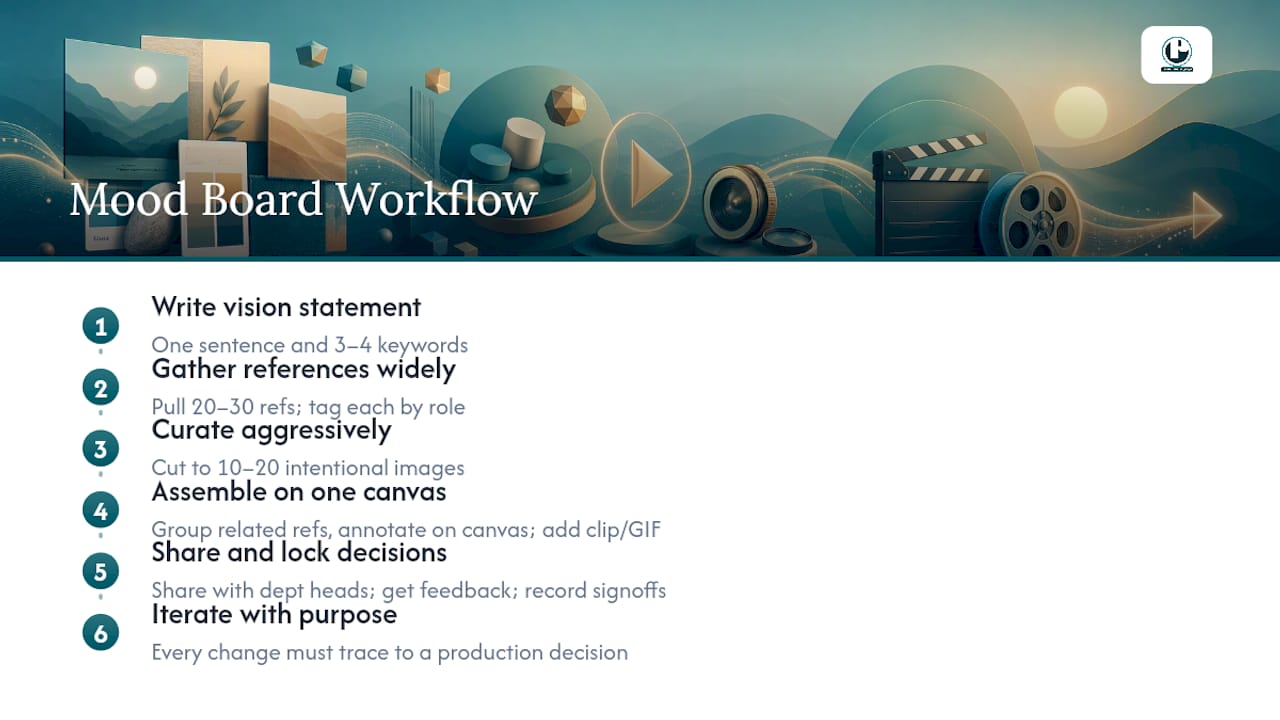
3. Curate aggressively. Cut to 10–20 images that each carry a decision. Remove duplicates. Remove anything that is purely decorative without a note explaining what it instructs. If two images say the same thing, keep the stronger one. Professional boards are typically built with 10–20 highly intentional references.
4. Assemble on a single canvas. Arrange references so related decisions sit near each other. Group cinematography references together, wardrobe near wardrobe. Add your annotations directly on the canvas, not in a separate document.
5. Share early and lock decisions. Videomaker recommends digital boards for collaboration and versioning. Share the board with department heads before the tech scout, collect feedback, and record sign-offs. Name your files with a versioning convention (e.g., ProjectName_MoodBoard_v2_DPsign) so there is never confusion about which version is current.
6. Iterate with purpose. Revisions are fine. Drift is not. Every change to the board should trace back to a specific production decision, not a general preference shift.
Pro Tip: Add a short video clip or GIF to the board when you need to communicate camera movement or motion style. A static still cannot show a slow push-in or a handheld walk-and-talk. For music videos and commercials especially, motion references are worth more than a dozen stills.
Which tools and templates work best for video mood boards?
The right tool depends on production scale, how many departments need access, and whether you need to export a print-ready PDF for client approval. Here are the five platforms worth knowing:
StudioBinder: Built specifically for production workflows. Its video mood board template supports short clips alongside stills, and it connects directly to call sheets and shot lists. Best for productions that want the mood board integrated into the broader pre-production pipeline.
Milanote: Milanote supports mixed media including videos, GIFs, font files, and text notes on a freeform canvas. Strong choice for directors and DPs who need motion references alongside stills. The browser-based interface makes sharing easy without requiring software installs.
For teams that prefer design-native tools, Sketch offers a dedicated canvas with features that speed up arranging, exporting, and producing print-ready boards for client or department reviews.
MasterClass notes that digital boards are recommended for larger, collaborative productions, while physical boards with actual fabric swatches and printed stills can still work well for smaller shoots where tactile material matters. For most professional productions today, digital wins on speed and shareability.
You can also find useful content creation tools that help teams export and repurpose mood board assets for social media cuts and deliverables.
How different departments use a mood board in practice
Abstract recommendations become useful when you see them applied by department. Here are four production scenarios:
Cinematography: The DP pulls three film stills from the board, each annotated with lighting notes. One reads: “low-contrast, tungsten key, soft backlight, match on day 3 interior scenes.” That note tells the gaffer exactly what to prep and gives the DP a benchmark to test on the first day of principal photography.
Production design: The production designer focuses on texture and location references. A board for a corporate brand film might include images of brushed steel, warm wood grain, and clean concrete, each tagged “surface quality for executive interview set.” The designer uses those to source props and dress the set without a back-and-forth approval chain.
Wardrobe: The costume designer extracts the color swatches from the board and checks every wardrobe piece against them. If the palette is desaturated earth tones, a bright red jacket is a problem before it ever reaches set. The board catches that conflict in pre-production, not on shoot day.
Music video: For a music video, the board often includes short video clips or GIFs showing camera movement references alongside still images for color and lighting. StudioBinder’s video mood board template supports exactly this kind of mixed-media board. The director and DP align on movement style, the colorist gets a grading target, and the stylist works from the wardrobe references, all from one document.
For multi-scene shoots, group references by scene or location on the board rather than by department. That way, every department can see the full visual world of each scene at a glance. Pair your mood board with a solid video production brief to give department heads both the visual target and the logistical context in one package.
A production-ready mood board checklist and versioning guide
Use this checklist before you lock the board and hand it to department heads. Every row should be checked before the tech scout.
Checklist item | Responsible party | Status |
Vision statement written (one sentence + 3–4 keywords) | Director / Producer | ☐ |
Color palette locked (5 swatches extracted) | Director / DP | ☐ |
10–20 curated references, each annotated | Director | ☐ |
DP sign-off on lighting and cinematography references | Director of Photography | ☐ |
Production design sign-off on texture/location references | Production Designer | ☐ |
Costume sign-off on wardrobe and palette references | Costume Designer | ☐ |
Final export completed and master file stored | Producer | ☐ |
Versioning convention: Name files as [ProjectName]_MoodBoard_v[#]_[Initials]sign (e.g., BrandFilm_MoodBoard_v2_DPsign). Store the canonical master in the project’s shared cloud folder with a local archived copy. Never overwrite a signed version; always increment the version number.
The DP and production designer should both sign off before the tech scout. That is the hard deadline. After the tech scout, changes to the board require a formal revision and a new sign-off round.
Key Takeaways
A mood board for video production works because it converts creative intent into department-specific instructions, and those instructions prevent the drift that causes reshoots.
Point | Details |
Curate, don’t collect | Build boards with 10–20 annotated references, not large image folders. Professional mood boards commonly use 10–20 strong, intentional references. |
Every image is a decision | Label each reference with the production decision it represents and the department it guides. |
Extract color swatches | Pull five key swatches from your references to give colorists a direct grading target. |
Sign off before the tech scout | DP and production designer sign-off locks the board before on-location decisions are made. |
Puritano integrates the board | Puritano Media Group builds mood board sign-off into its pre-production workflow for every project. |
Why the mood board is the most underused production document
Most production teams know what a mood board is. Far fewer treat it as the binding document it should be. The boards I have seen fail share one trait: they were built to impress in a kickoff meeting, not to guide a shoot. They look great as a PDF. They do nothing on set.
The shift is simple but not obvious. Stop building boards that show what you like. Start building boards that state what you will do. Every image should answer a question a department head would otherwise have to ask you on shoot day. That annotation next to the film still, the one that says “low-contrast, cool key, no fill, test on day two,” is worth more than ten beautifully curated images with no notes.
The other thing productions consistently underestimate is how much the board protects the client relationship. When a client sees a finished video that matches the mood board they approved, there is no room for “this isn’t what I pictured.” The board is the picture they approved. That is not a small thing. It is the difference between a smooth delivery and a revision spiral.
Pair your board with a strong production brief and you have two documents that together answer every major pre-production question before anyone picks up a camera.
Puritano Media Group turns your mood board into finished video
Mood boards are only as powerful as the production team that executes them. Puritano Media Group builds mood board review and sign-off directly into its pre-production process for every project, from corporate brand films to music video productions. Clients get a clear visual contract before production begins, department leads work from a locked reference, and the final deliverable reflects the aesthetic that was approved, not a rough approximation of it.
If you have a project in mind and want to see how a production team with over two decades of experience handles the full pre-production workflow, reach out to Puritano for a project consultation.
Useful sources and templates
Recommended
Comments