

Internal Communications Video Creation Guide for Teams

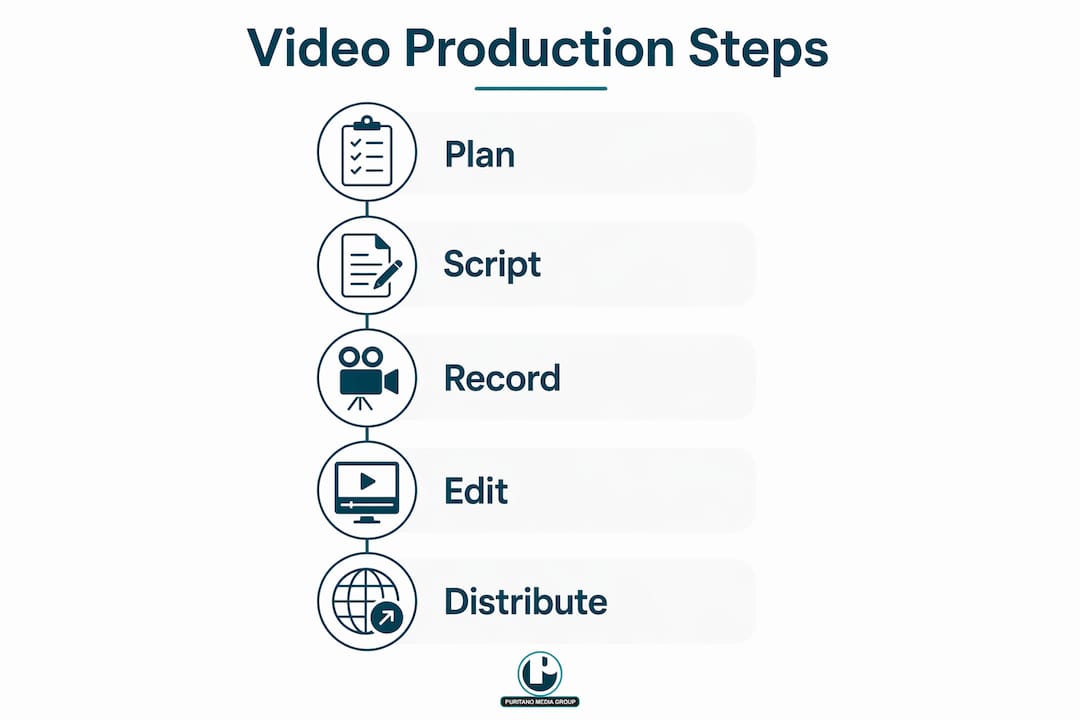
Internal communications video creation is the process of planning, producing, and distributing video content designed specifically to inform and engage employees within an organization. Done well, it replaces dense email chains and forgettable slide decks with content people actually watch. This internal communications video creation guide covers every phase, from setting objectives to measuring completion rates, with practical advice on tools like HeyGen for scripting, Wistia for analytics, and WCAG captioning standards for accessibility compliance. Whether you are a one-person communications team or managing video across a large enterprise, the principles here apply directly to your work.
What are the essential planning steps for an internal communications video creation guide?
Every effective internal communications video starts with a single, focused objective. Videos built around one core message and a clear narrative arc consistently outperform multi-topic videos in employee engagement. That means before you open any editing software, you need to answer one question: what is the single thing you want employees to know or do after watching?
Once you have your objective, map your audience. A video for frontline warehouse staff requires different language, pacing, and examples than one for senior managers reviewing a quarterly strategy update. Tailoring content to your specific internal audience is not a nicety. It is the difference between a video that gets watched and one that gets skipped.
Your narrative structure should follow a proven arc:
Hook: Open with the most relevant fact, change, or question for your audience. You have roughly eight seconds before attention drops.
Core message: State the key point clearly and early. Do not bury the lead.
Supporting detail: Add context, examples, or data that reinforce the message.
Call to action: Tell employees exactly what to do next, whether that is completing a form, attending a meeting, or simply acknowledging they received the information.
Accessibility planning belongs in this phase, not as an afterthought. WCAG 2.2 level A standards require synchronized captions for all prerecorded internal videos with audio. That means captions must include speaker identification and meaningful sound descriptions, not just a transcript dropped into a text file. Plan for this before you record, and the production phase becomes far simpler.
On equipment, you do not need a broadcast studio. Smartphones paired with a tripod and ring light produce footage that meets professional quality standards for internal use. Add a lapel microphone for clean audio, and you have a capable production setup for under $200.
Pro Tip: Write your script out loud before you record. If a sentence sounds awkward when spoken, it will sound awkward on camera. Reading aloud catches problems that reading silently misses every time.
How to execute production and editing to maximize video effectiveness
Recording quality comes down to three variables: light, sound, and framing. Light your subject from the front, not from behind. A window behind a speaker creates a silhouette. A ring light or a simple softbox placed at eye level solves this immediately. Sound matters more than picture quality. Viewers forgive slightly soft video. They abandon videos with distracting background noise or muffled audio within the first 30 seconds.
Framing follows the rule of thirds. Place your speaker slightly off-center with their eyes in the upper third of the frame. Leave a small amount of space in the direction they are facing. This creates a natural, professional composition without any technical training.
In the editing phase, keep these principles in mind:
Cut for clarity, not length. Remove pauses, filler words, and repeated points. Tight editing respects your employees’ time and keeps completion rates high.
Use lower thirds and text overlays to reinforce key names, dates, or action items on screen. Viewers retain information better when they see and hear it simultaneously.
Maintain consistent branding. Use your organization’s color palette, logo placement, and font choices across every video. Consistency builds recognition and signals professionalism.
Add synchronized captions. Auto-generated captions require review and enrichment to meet accessibility standards. They frequently miss speaker identification and non-speech audio cues. Review every caption track before publishing.
For editing tools, Adobe Premiere Pro and Final Cut Pro handle complex projects. For teams without dedicated video editors, tools like Camtasia or CapCut offer simpler interfaces that still produce clean results for internal use. HeyGen also provides AI-assisted video creation that works well for scripted announcements and training content.
Pro Tip: Record a short test clip before your full take and play it back on headphones. This catches audio problems, background noise, and framing issues before you commit to a full recording session.
What are the best practices for distributing internal communication videos?
Distribution strategy determines whether your video reaches 20% of employees or 90% of them. Choosing the right platform for each video type is the first decision. Here is a practical framework:
Intranet or internal portal: Best for reference content, policy updates, and training videos that employees need to find and revisit. Tag videos with clear metadata so they are searchable.
Email embed or link: Best for time-sensitive announcements, CEO updates, and all-hands communications. Keep the email short. The video carries the message.
Internal social channels (Microsoft Teams, Slack, Workplace by Meta): Best for culture content, team updates, and informal communications where conversation and reaction are part of the goal.
Digital signage: Best for brief operational updates in physical locations like warehouses, retail floors, or break rooms where employees do not sit at desks.
Timing affects viewership more than most communicators expect. Videos sent on Tuesday through Thursday mornings consistently outperform those sent on Monday mornings or Friday afternoons. Employees are more likely to engage with content when they are settled into their week but not yet winding down.
Communicating video purpose clearly in the subject line or accompanying message drives higher view rates. “Watch this 3-minute update on our new benefits enrollment process” outperforms “Important HR Update” every time. Specificity signals relevance.
Accessibility in distribution means more than adding captions to the video file. It means confirming that your chosen platform supports caption display, that the video player is keyboard-navigable, and that employees with assistive technology can access the content without workarounds.
How to measure and optimize internal video performance
Measuring video performance is where most internal communications teams leave real improvement on the table. The metrics that matter most are completion rate, drop-off points, and engagement signals like replays and click-throughs on embedded calls to action.
Completion rates of 70–85% represent the benchmark for effective internal communication videos. That range significantly outperforms text-based communications, where read rates for internal emails often fall below 30%. CEO updates and high-stakes announcements frequently exceed this benchmark, which tells you something important: employees engage more when the sender and topic feel directly relevant to them.
Drop-off data is where the real optimization happens. If 60% of viewers stop watching at the two-minute mark of a four-minute video, the problem is almost certainly in that section of the content, not the overall topic. Wistia’s analytics platform surfaces exactly this kind of data, showing you where attention drops and where viewers rewind to watch again.
Metric | What it tells you | How to act on it |
Completion rate | Overall message effectiveness | Shorten videos that fall below 70% completion |
Drop-off points | Where content loses relevance or clarity | Revise or cut the section where viewers leave |
Replay rate | Which moments employees find most valuable | Reinforce those points in follow-up communications |
Play rate | Whether your distribution is reaching employees | Test subject lines, platforms, and send times |
Building a taxonomy-driven video library linked to analytics allows you to identify which content types, senders, and topics yield the highest employee engagement. Tag every video with metadata: content type (training, announcement, culture), sender (HR, CEO, department head), and topic. Over time, this data tells you exactly what your workforce responds to, and you can build future content around those patterns.
Pro Tip: Set a 90-day review cycle for your video library. Pull completion and drop-off data quarterly, identify your three lowest-performing videos, and either revise them or retire them. Continuous improvement beats one-time production every time.
Key takeaways
Effective internal communications video creation requires clear objectives, accessibility compliance, and performance measurement working together from the start.
What I have learned from two decades of internal video production
Here is something most guides will not tell you: the biggest obstacle to effective internal communications video is not budget or equipment. It is the instinct to say too much in a single video.
I have seen well-funded communications teams produce eight-minute videos covering five separate topics, then wonder why completion rates sit at 22%. The answer is always the same. Employees are not a captive audience. They have meetings, deadlines, and a dozen other things competing for their attention. A three-minute video with one clear message will outperform an eight-minute video covering everything, every single time.
The second thing I would push back on is the idea that accessibility is a compliance checkbox. Synchronized captions with proper sound descriptions do not just serve employees with hearing impairments. They serve employees watching in noisy environments, employees for whom English is a second language, and employees who simply process information better when they can read along. Accessibility is an inclusion strategy, and the organizations that treat it that way get better engagement across the board.
The third lesson is about storytelling in corporate video. Data and policy updates are necessary. But the videos that employees remember and share are the ones that connect a message to a real person, a real challenge, or a real outcome. A two-minute video of a department head explaining how a new process solved a problem they personally experienced will outperform a polished slide-driven explainer on the same topic. Authenticity travels further than production value in internal communications.
Measure everything. Not because the numbers are the goal, but because the numbers tell you what your employees actually need.
Take your internal videos to the next level with Puritano
If your organization is ready to move beyond DIY production and into professional-quality internal video, Puritano has spent over two decades helping companies do exactly that. From scripted corporate video production to fully managed virtual event coverage, Puritano brings the production experience, storytelling discipline, and technical quality that internal communications teams need to make a real impact. Whether you are producing a CEO all-hands, an onboarding series, or a company-wide training rollout, Puritano builds content that employees actually watch. Reach out to discuss your next internal video project and see what professional production can do for your communications strategy.
FAQ
What is the ideal length for an internal communications video?
Most internal videos perform best at two to four minutes. Shorter videos see higher completion rates, and completion benchmarks of 70–85% are achievable when content stays focused and concise.
Do internal videos need captions?
Yes. WCAG 2.2 level A standards require synchronized captions for all prerecorded internal videos with audio, including speaker identification and non-speech sound descriptions.
What equipment do I need to make internal videos?
A modern smartphone, a tripod, a ring light, and a lapel microphone are enough to produce professional-quality footage for internal use. Expensive broadcast equipment is not required for most internal communications video production.
How do I know if my internal video is working?
Track completion rate, drop-off points, and play rate using a platform like Wistia. A completion rate below 70% signals a content or length problem worth investigating.
What platform should I use to distribute internal videos?
Match the platform to the content type. Use your intranet for training and reference content, email for time-sensitive announcements, and internal social channels like Microsoft Teams or Slack for culture and team updates.
Recommended

Comments