

Stop Losing Federal Bids: Use WCAG 2.1/2.2 AA for Section 508 Video
Updated: 4 days ago

Section 508 and WCAG are not competing standards. Section 508 is U.S. federal law, and since its 2017 refresh, it legally requires conformance to WCAG 2.0 Level AA for covered technology. In practice, that means WCAG success criteria are your operational checklist, and most organizations now build to WCAG 2.1 or 2.2 AA. The U.S. Access Board and W3C set the technical bar, and Puritano builds media to clear it.
TL;DR:
Building to WCAG 2.1 or 2.2 AA is recommended, as these standards include accessibility features not covered by WCAG 2.0 AA and are automatically compliant with Section 508.
Automating accessibility testing with tools, manual reviews, and screen reader audits are essential steps to ensure compliance and catch issues that automation alone cannot detect.
Producing accessible video from the start by planning captions, audio descriptions, and transcripts during the scripting and shooting stages reduces costs and rework later.
Conformance requires detailed documentation, including a VPAT and a mapping of the deliverable against Section 508 standards, validated through multiple testing phases.
Compliance standards evolve rapidly, so relying solely on Section 508’s 2017 reference point risks obsolescence; aligning with the latest WCAG versions ensures broader accessibility and future-proofing.
Section 508 vs. WCAG: How the Two Actually Relate
Confusing these two is the single most common mistake procurement teams make, so let’s clear it up. Section 508 is a statute. WCAG is a technical standard published by the W3C. Section 508 borrows WCAG’s success criteria as its legal yardstick, but the two documents serve different jobs, and knowing the difference tells you which office to call when something goes wrong.
Dimension | Section 508 | WCAG |
What it is | U.S. federal law | Technical guideline from the W3C |
Scope | Federal ICT: web, software, documents, hardware | Web and web-delivered content, any sector |
Enforcement | Federal oversight, procurement consequences | Voluntary, or adopted by reference into other laws |
Current technical reference | WCAG 2.0 Level AA (2017 refresh) | WCAG 2.1 and 2.2 now published, evolving on a rolling basis |
Who it binds | Federal agencies, contractors, grant recipients | Anyone who chooses (or is required) to follow it |
The overlap matters more than the differences. A federal training video that meets WCAG 2.0 AA’s captioning and contrast criteria is, by definition, meeting the Revised 508 Standards for those same elements. A few things to keep straight:
Section 508 sets the legal floor; WCAG defines what clearing that floor actually looks like.
WCAG updates (2.1, 2.2) do not automatically become law until Section 508 is formally refreshed to reference them.
Passing a WCAG 2.1 AA audit typically satisfies Section 508’s WCAG 2.0 AA requirement, since 2.1 is a superset of 2.0’s criteria.
Who Has to Comply, and With What Content
Section 508 binds a specific set of parties: federal agencies, federal contractors delivering ICT under a contract, and organizations receiving certain federal funds. If you’re producing a training video for a Department of Labor grant program, Section 508 applies to you even though you’re not a government employee.
The scoping rules in Chapter E200 of the Revised 508 Standards cover more than websites. They reach electronic content, software, documents, and hardware, which is exactly the mix a media producer touches on a typical government job: a PDF handout, an e-learning module, a captioned video, and sometimes the kiosk or tablet the content plays on.
Private-sector organizations sit in different territory. The Americans with Disabilities Act and various state laws increasingly reference WCAG as the practical standard for web accessibility, but they don’t carry the same federal procurement machinery. A private company that ignores accessibility risks a lawsuit; a federal contractor that ignores it risks something more immediate:
Disqualification from a contract award during the technical evaluation phase.
Administrative complaints filed against the delivering agency.
Contract termination if noncompliance surfaces after delivery.
How to Prove Your Video Is Compliant
Procurement officers don’t take your word for it. They want a Voluntary Product Accessibility Template (VPAT), filled out as an Accessibility Conformance Report (ACR), that maps your deliverable against the Revised 508 Standards criterion by criterion. If you’re bidding on a federal contract that includes video, expect a VPAT request somewhere in the paperwork.
Getting to a clean ACR takes more than running one scanner. Here’s the sequence that actually holds up:
Run automated scans first. Tools like axe or WAVE catch structural problems fast, but Section508 is blunt that automation alone isn’t sufficient.
Add manual keyboard and ARIA checks. Automated tools commonly catch only a portion of real-world issues; the rest requires a human working through the interface by hand.
Test with a screen reader. JAWS or NVDA sessions expose problems that visual QC never will, especially on interactive video players.
Bring in assisted user testing where possible. Nothing replaces feedback from someone who actually relies on the assistive technology daily.
Cross-check against the Access Board’s mapping table, which ties each WCAG success criterion to a Section 508 functional performance category, so you know exactly which disability group a failure affects.
For media specifically, the checklist narrows to captions (WCAG SC 1.2.x), audio description for prerecorded video (WCAG SC 1.2.5, which the W3C requires at Level AA whenever visual information isn’t already carried in the audio track), and full transcripts.
Pro Tip: Order your QC pass so captions and audio description get reviewed before final color grade lock. Catching a missing description cue after the edit is finished costs triple the time it would have during rough cut.
Agencies can also pull harmonized methods from the Federal CIO Council Accessibility Community of Practice to standardize how testers verify conformance across projects.
Why WCAG 2.1 or 2.2 AA Is the Smarter Baseline
WCAG 2.0 AA is the legal floor Section 508 references, but it’s not where accessibility expertise actually wants you to stop. WCAG 2.1 and 2.2 add criteria for mobile interaction, low-vision users, and cognitive accessibility that 2.0 never addressed, and those gaps show up constantly in modern video delivery through responsive players and captioning apps.
Practitioners across the accessibility field generally recommend building to the strictest applicable standard rather than the legal minimum, and the reasoning holds up under scrutiny:
One audit against WCAG 2.1/2.2 AA covers Section 508’s 2.0 AA requirement automatically, since 2.1 and 2.2 are supersets of 2.0.
The same deliverable then satisfies ADA-related expectations for private clients without a second round of testing.
Documenting the mapping is straightforward: note in your ACR that the content meets WCAG 2.1 AA, then cite the specific 2.0 AA criteria satisfied within that broader set for the procurement record.
Where to Find the Official Rules and Templates
Skip the secondhand summaries and go straight to the source documents procurement teams actually check against.
The Access Board’s WCAG-to-508 comparison table maps every referenced success criterion to its corresponding 508 provision.
Section508 spells out exactly who must comply and what technologies fall in scope.
VPAT templates and Federal CIO Council ACOP test methods give you the actual forms and testing protocols auditors expect.
Keep these bookmarked during contract response season. A contracting officer citing a specific 508 provision will expect you to know which WCAG criterion sits behind it.
What Producing Compliant Video Actually Looks Like
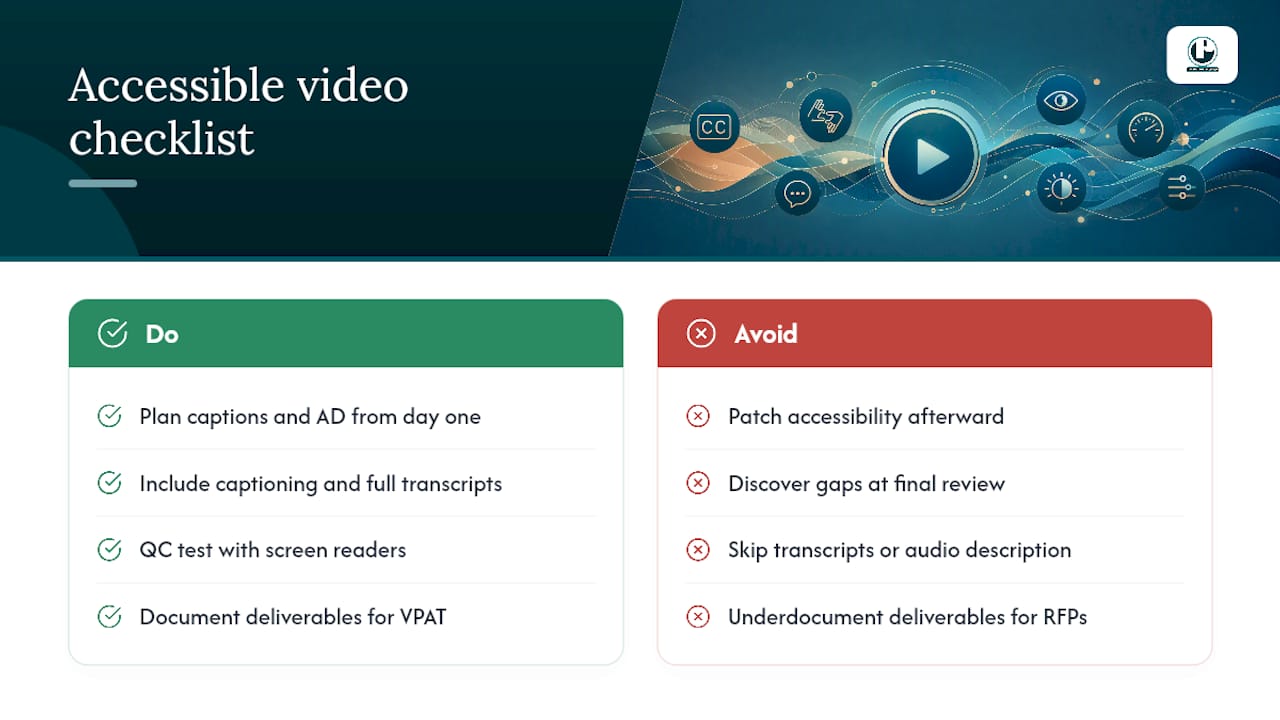
Compliance falls apart when accessibility gets bolted on after the edit is locked. Building it into the script and shot list from day one is cheaper and far more reliable than retrofitting captions onto a finished cut. That means writing description-friendly narration, planning caption timing during the script stage, and treating QC with assistive technology as a normal edit-bay step, not a separate afterthought.
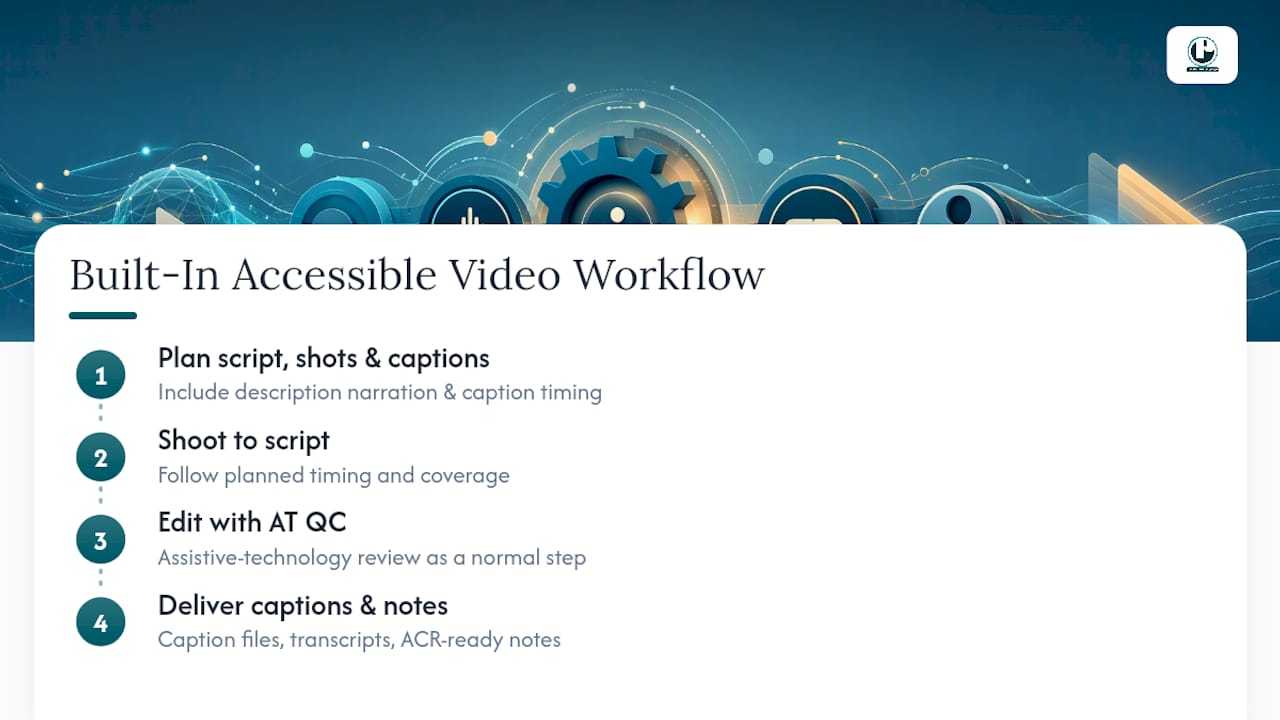
Puritano delivers caption files, full transcripts, and ACR-ready technical notes alongside every accessible project, so procurement teams aren’t left assembling documentation after the fact. Our Section 508 video compliance workflow is built around exactly this sequence, and it consistently shortens both the schedule and the budget line for accessibility fixes.
How Puritano Builds Compliant Video From the Start
Puritano is the production partner for organizations that need Section 508 and WCAG conformance built in, not patched on afterward. Where an in-house team often discovers caption and audio-description gaps during the final review, Puritano plans them into the script and shot list from day one, which means fewer surprise rework hours before a submission deadline.
Our accessible video production includes captioning, full transcripts, audio description tracks, and QC testing with screen readers, all documented in a way that supports a VPAT-ready statement of work. If you’re responding to a federal RFP that requires an ACR, we can structure the deliverable and its supporting notes to match. For organizations weighing what accessible video actually costs to produce right, our video regulation compliance guide walks through the WCAG Level AA baseline in more detail, and accessibility done well also tends to improve search visibility as a side benefit.
Browse examples of our production work in the music video portfolio, or if you’re planning an accessible livestream or hybrid event, reach out about a virtual events package and request a compliance-focused quote.
Why the Legal Floor Isn’t the Right Target
Most compliance guides stop at “meet WCAG 2.0 AA and you’re covered.” That advice is technically true and strategically shortsighted. Section 508 sets a 2017 reference point in a field that moves every few years, and organizations that build to the letter of that reference point keep re-auditing every time a client, grant, or state contract demands something WCAG 2.0 never anticipated, like reflow on mobile or reduced cognitive load in navigation.
The smarter move, and the one accessibility professionals increasingly push, is treating WCAG 2.1 or 2.2 AA as the real working standard and Section 508 as the paperwork that documents you’ve already cleared it. That reframe changes how you brief a production team. Instead of asking “does this meet the legal minimum,” you ask “does this hold up for the widest range of viewers we can reasonably reach,” which is a better creative question and a better compliance question at the same time.
The gap between those two mindsets is where most procurement rejections happen: not because a video failed 508, but because it was built to a standard already a full revision behind what reviewers expect to see.
Sources
Keep these on hand for any procurement response or internal audit. The Access Board’s ICT and WCAG mapping guidance explains how the two frameworks connect technically. Section508.gov covers applicability and conformance rules for who must comply. The W3C’s audio description understanding document details the exact media requirement most video producers miss first.
Recommended
We build federal video the way this post describes, with the standard settled before production begins. Our government programs for the Export-Import Bank, the General Services Administration, and the U.S. Commercial Service move through agency review at every stage, and conformance documentation is part of the deliverable, not an afterthought. Planning captions, audio description, and transcripts during scripting is what keeps a finished film from coming back for expensive retrofits when a contracting officer checks it against WCAG criteria.


Comments