

What Is a Video Content Calendar? A 2026 Guide
Updated: 3 days ago

A video content calendar is defined as a structured planning tool that maps what videos you produce, when you publish them, where they appear, and who owns each step of production. The industry term for this system is a “content calendar,” and it applies across all media formats. For video, it goes well beyond a simple schedule. Marketers who document their content strategy are 538% more likely to succeed, and structured calendars improve engagement by 36%. Those numbers reflect a simple truth: guessing what to post and when is a losing strategy. A video content calendar replaces guesswork with a repeatable system that keeps your production on track and your audience engaged.
What is a video content calendar and what does it include?
A professional video content calendar is built around seven core fields. A standard setup in 2026 includes publication date, video title, content category, format, production status, platform, and owner. Each field serves a distinct purpose in keeping production organized and on schedule.
The production status field is the one most creators skip, and it is the one that causes the most problems. Tracking production stages within the calendar prevents bottlenecks by letting you plan backward from your publication deadline. If a video publishes on a Friday, you know editing must finish by Wednesday, the shoot must wrap by Monday, and the script must be approved the week before. Without that visibility, deadlines slip quietly until they collapse loudly.
Pro Tip: Build your calendar in a shared tool like Google Sheets, Notion, or Airtable so every team member can update production status in real time. A calendar no one updates is just a wish list.
Is a video calendar just a schedule or a full production system?
The biggest misconception about content calendars is that they only track publish dates. A calendar that only logs when something goes live is, at best, a wish list. A true video content calendar functions as a production operating system, tracking every stage of the creative process from idea to distribution.
Think about what actually happens between “we should make a video about this” and the moment it publishes. Someone writes a brief. A script gets drafted and revised. A shoot gets scheduled, locations get confirmed, and talent gets booked. Footage goes to an editor. The edit goes through rounds of feedback. Final approval happens. Then the file gets formatted for each platform. A calendar that captures all of that gives your team a single source of truth.
Here is what a calendar does when it functions as a production operating system:
Tracks ideas and briefs before production begins
Logs script drafts and revision rounds
Schedules shoot dates and confirms crew availability
Monitors editing progress and feedback cycles
Records approval status and final sign-off
Confirms platform-specific formatting and upload readiness
Archives performance data after publication
Planning with a video calendar reduces retakes, clarifies roles, and keeps creative decisions aligned with your marketing goals. That alignment is what separates a productive content team from one that is always scrambling.
Pro Tip: When you add a new video to the calendar, map backward from the publish date immediately. Assign every production stage a deadline before you start a single frame of work. Batching similar shoots on the same day also cuts production time significantly.
What are the strategic benefits of a video content calendar?
Consistency is the most underrated advantage of structured video content planning. Audiences build habits around creators and brands that show up reliably. A calendar makes that reliability possible because it forces you to plan content before you need it, not after you have already missed a week.
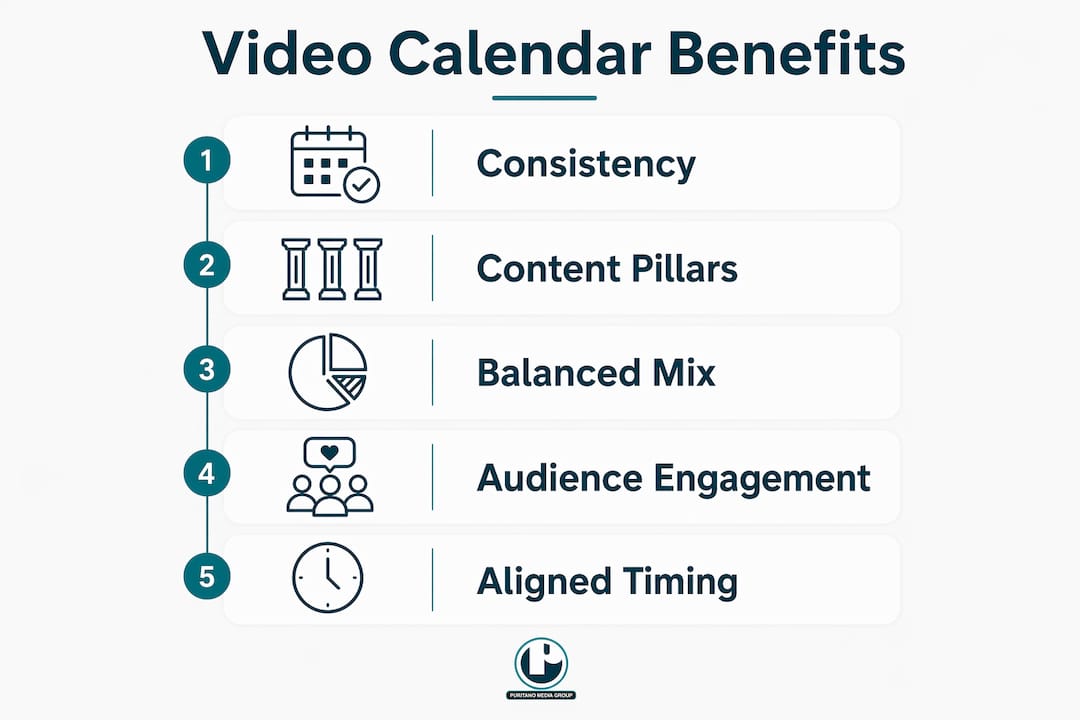
Using 3–5 content pillars prevents creative fatigue and keeps your brand message consistent. Content pillars are repeatable themes that anchor your calendar. A corporate brand might use pillars like “team culture,” “client results,” “product education,” and “industry news.” Each pillar generates a predictable stream of ideas, so you are never staring at a blank calendar wondering what to make next.
Balancing promotional, educational, and entertaining content within your calendar scheduling maintains audience interest and avoids burnout on any single content type. A calendar makes that balance visible at a glance. You can see immediately if three consecutive weeks are all promotional and course-correct before you lose viewers.
Publishing cadence is another area where a calendar pays off. The right cadence depends on your format mix:
Practitioners recommend starting with 2–3 short-form videos per week plus one long-form video per month for creators building an audience. That cadence keeps you visible without burning out your team. For social media video formats specifically, matching your cadence to each platform’s algorithm expectations matters as much as the content itself.
A calendar also connects your video output to the buyer journey. Ignoring audience context and where viewers sit in the buying process leads to lost momentum. Your calendar should tag each video by funnel stage so you can see whether you are over-investing in awareness content while neglecting decision-stage videos that actually convert.
How to create a video content calendar that actually works
Setting up a calendar is straightforward. Maintaining it takes discipline. These steps give you a structure that holds up over time.
Define your goals first. Decide what you want video to accomplish. Brand awareness, lead generation, and customer education each require different content types, formats, and publishing frequencies. Goals shape every other decision.
Choose your tools. A spreadsheet works for solo creators. Teams benefit from project management platforms that support shared editing, status updates, and deadline notifications. Pick a tool your whole team will actually use.
Select your channels. Each platform has different format requirements, audience behaviors, and algorithm preferences. Your calendar should have a column for platform so you can plan platform-specific content rather than repurposing everything identically.
Plan your cadence. Decide how many videos you will publish per week or month on each channel. Be realistic about your production capacity. An ambitious calendar you cannot execute is worse than a modest one you can.
Define your content pillars. Choose 3–5 core themes that reflect your brand and serve your audience. Assign each video in your calendar to a pillar. This prevents you from accidentally producing five product videos in a row with no educational or entertaining content to balance them.
Assign roles and owners. Every video needs a named owner for each production stage. Ambiguous ownership is the fastest way to miss a deadline. If everyone is responsible, no one is.
Start with a rolling window. Planning 4–8 videos ahead keeps your team flexible and reduces the stress of over-planning. You can adapt to trending topics, client needs, or strategic shifts without throwing out months of work.
Integrate performance tracking. Add columns for views, engagement rate, and conversion data after each video publishes. Review that data monthly and use it to adjust your content mix and cadence.
The setup process for managing video production projects follows the same logic whether you are a solo creator or a marketing team. Define the work, assign it, track it, and adjust based on results. The calendar is the tool that makes all of that visible.
Key Takeaways
A video content calendar is the single most effective tool for turning inconsistent video output into a reliable, goal-driven production system that keeps teams aligned and audiences engaged.
Why most video calendars fail before they start
Here is what I have seen after years of working on video production: most teams build a calendar once, feel organized for two weeks, and then abandon it when production gets busy. The calendar did not fail them. They built the wrong kind of calendar.
The teams that stick with it treat the calendar as a living document, not a finished plan. They update production status daily. They hold a short weekly check-in to move videos through stages and flag anything that is falling behind. They review performance data monthly and let it change what they plan next. That discipline is what separates a calendar that works from one that collects dust.
The other mistake I see constantly is ignoring content pillars until creative fatigue sets in. By then, the team is already burned out and the content has lost its consistency. Pillars are not a creative constraint. They are a creative engine. They give you a framework that generates ideas instead of requiring you to invent everything from scratch.
Realistic cadence matters more than ambitious cadence. A team that publishes two solid videos per week, every week, will outperform a team that publishes five videos one week and nothing for three weeks. The calendar is what makes that consistency possible. Build it for the capacity you actually have, not the capacity you wish you had. And treat every column in that calendar as a commitment, not a suggestion.
How Puritano can support your video production workflow
A well-built calendar tells you what to produce and when. Puritano Media Group handles the production side with the same level of structure and intention. With over two decades of experience producing corporate, social, and branded video content for clients across the DMV area and nationally, Puritano brings a production workflow that maps directly onto a professional content calendar. Every project moves through defined stages, with clear ownership and deadlines at each step. Explore Puritano’s music video production portfolio to see how structured creative planning translates into polished final work. For organizations managing live and virtual events, the virtual events portfolio shows what integrated production planning looks like in practice.
FAQ
What is a video content calendar in simple terms?
A video content calendar is a planning document that tracks what videos you will produce, when they publish, which platforms they appear on, and who owns each production step. It replaces ad hoc content creation with a repeatable, organized system.
How many fields should a video content calendar include?
A professional video content calendar includes at least seven fields: publication date, video title, content category, format, production status, platform, and owner. Each field serves a specific role in keeping production on schedule.
How far ahead should you plan your video calendar?
Planning 4–8 videos ahead gives teams enough runway to produce quality content without locking into a rigid plan that cannot adapt to new priorities or trending topics.
What are content pillars and why do they matter?
Content pillars are 3–5 repeatable themes that anchor your video calendar. They prevent creative fatigue, keep brand messaging consistent, and make idea generation faster by giving every video a clear category to fit into.
How does a video content calendar improve marketing results?
Marketers who document their content strategy are 538% more likely to succeed, and structured calendars improve engagement by 36%. The calendar creates the consistency and alignment that drives those results.
Recommended
Planning a calendar around dependable production blocks beats chasing ideas week to week. For the American Association for the Advancement of Science, we produced the complete 60 minute Scientists and Career Development module and supply full studio production days, including green screen work, for the association's programs. Recurring sessions like those give a calendar its spine. Planned shoots fill the schedule first, and timely pieces slot in around them instead of competing with them.


Comments